Insignia TV Remote App: Control Your TV Using a Phone as a Remote

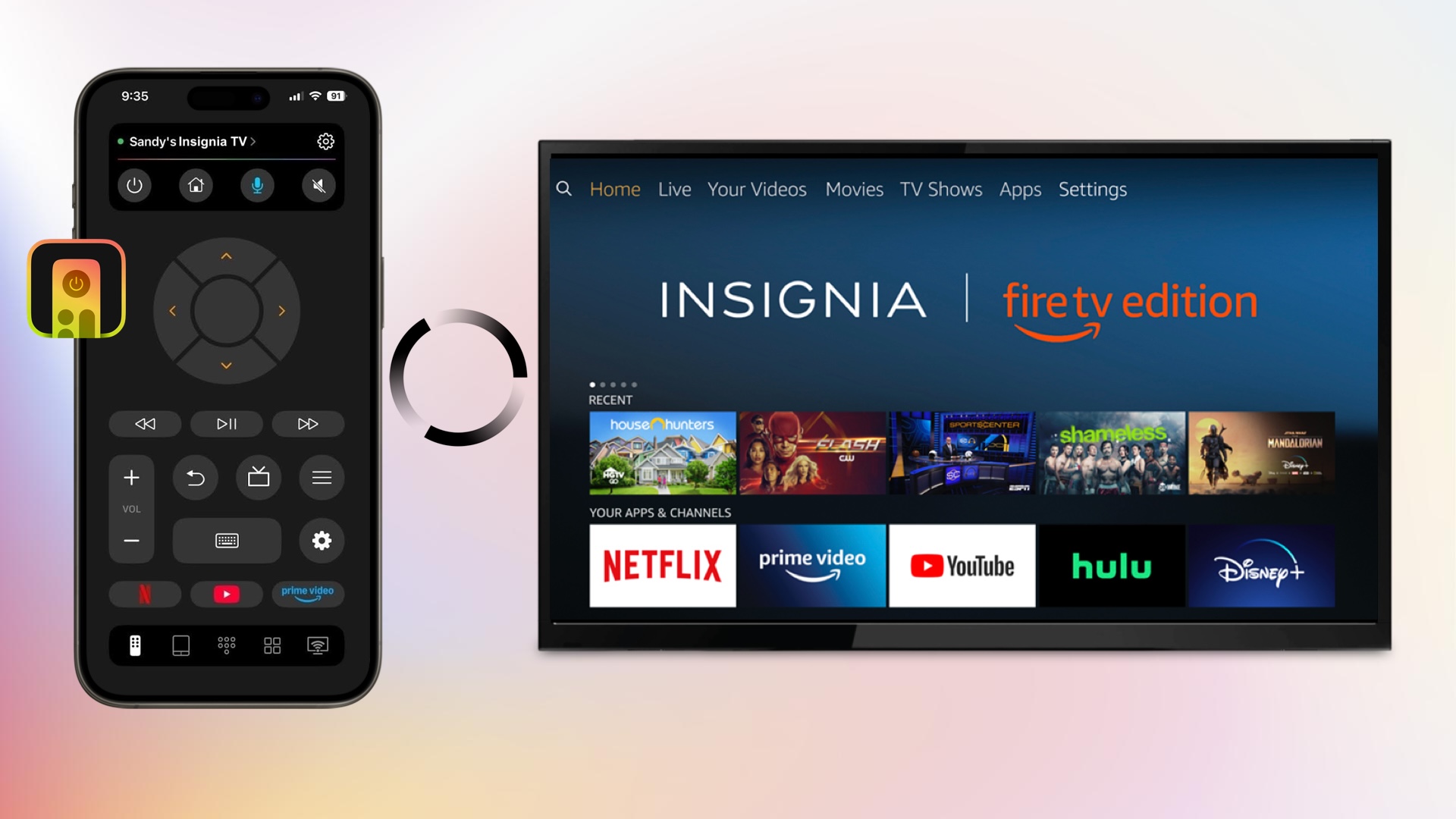
1. TVRem Universal TV Remote App
For a completely free Insignia TV remote app that doesn’t bombard you with ads or require in-app purchases, check out the TVRem Universal TV Remote App for iPhone. Along with Insignia, you can control most popular TV brands as well as streaming players. The app offers a responsive feature set you’ll appreciate.
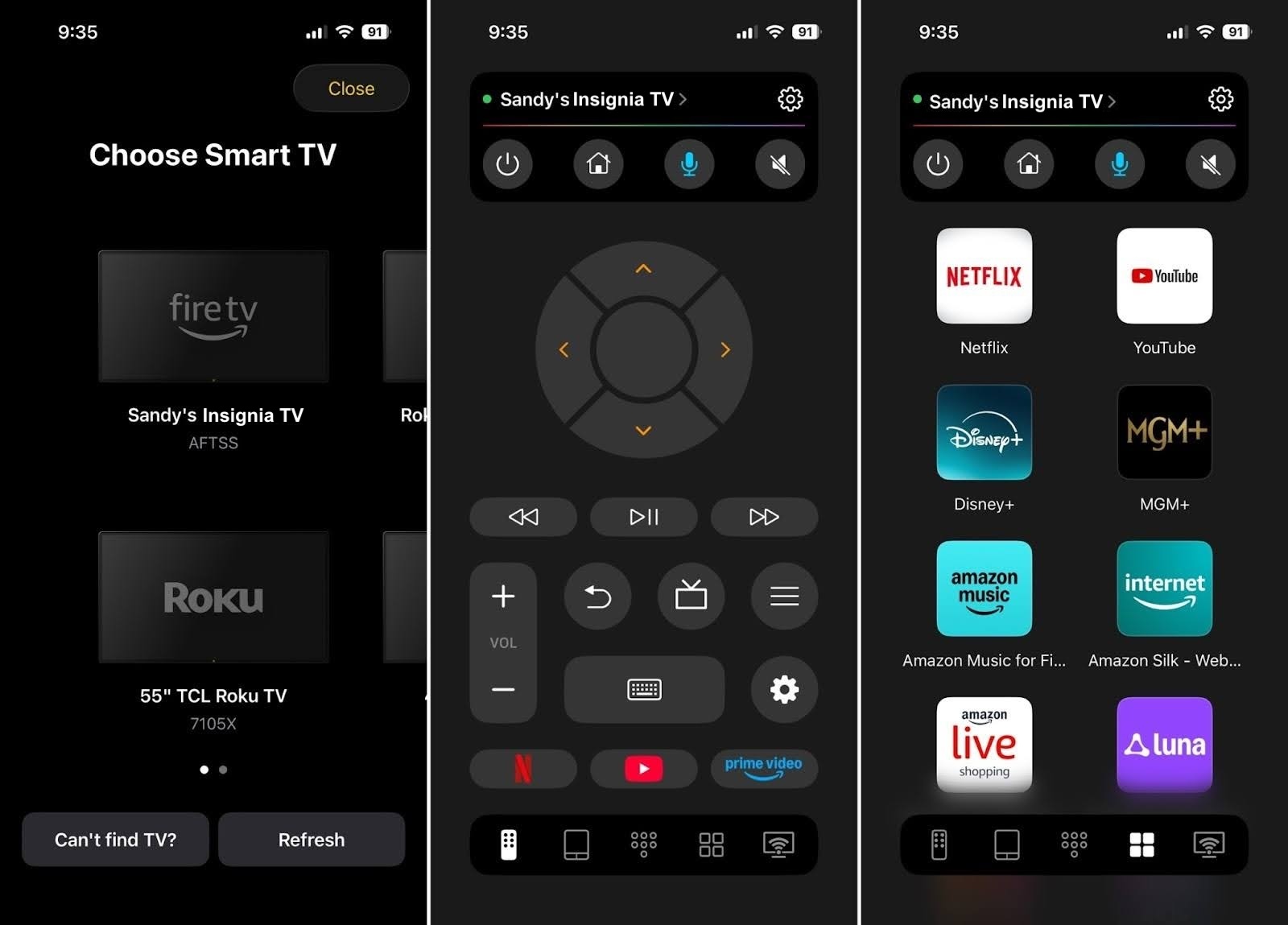
🤔 ❓ Why TVRem stands out for daily navigation:
Beyond basic arrow-button controls, using an on-screen directional pad to type long Wi-Fi passwords or search for movie titles character-by-character can be tedious. TVRem streamlines this by providing a dedicated phone keyboard layout for instant text input and a touch-responsive swipe pad for smooth menu navigation across streaming platforms like Netflix and YouTube.
✔️ Key features:
- Choose from button, touchpad, and keyboard controls
- Adjust the volume, change channels, and control playback
- Search with your voice using Google Assistant or Alexa (supported devices)
- Take advantage of quick launch buttons for Netflix, YouTube, and Prime Video
2. Universal TV Remote Control
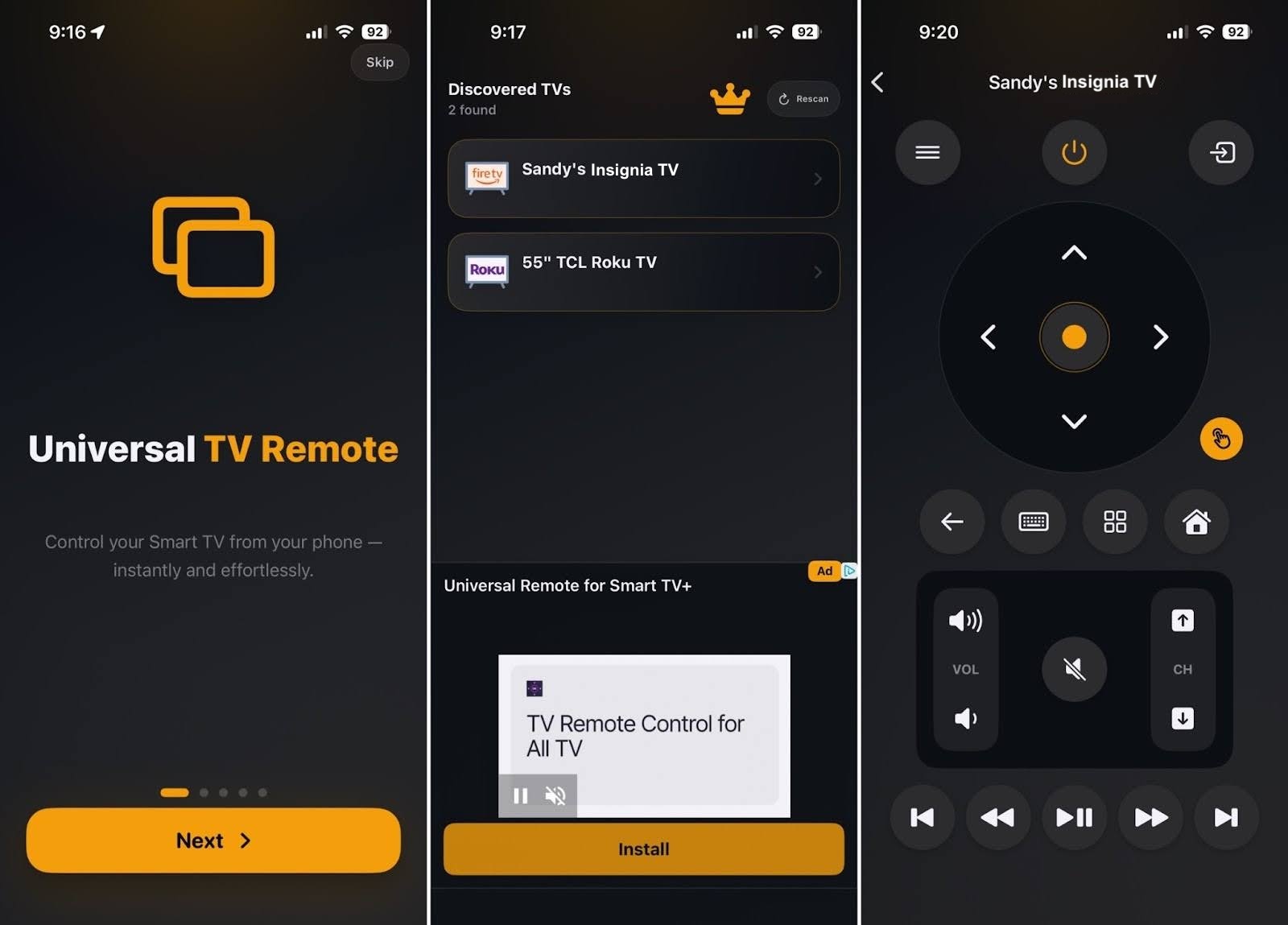
Another free remote app for Insignia TV is the Universal TV Remote Control. This iPhone app provides all the controls you need on one screen for navigation and playback. It works with multiple TV brands, provides responsive device detection, and lets you switch TVs easily.
✔️ Key features:
- Choose from button, touchpad, and keyboard controls
- Power the TV on and off, control the volume, switch channels, and manage playback
- All controls for volume, channels, and playback are on a single screen
1. Amazon Fire TV App
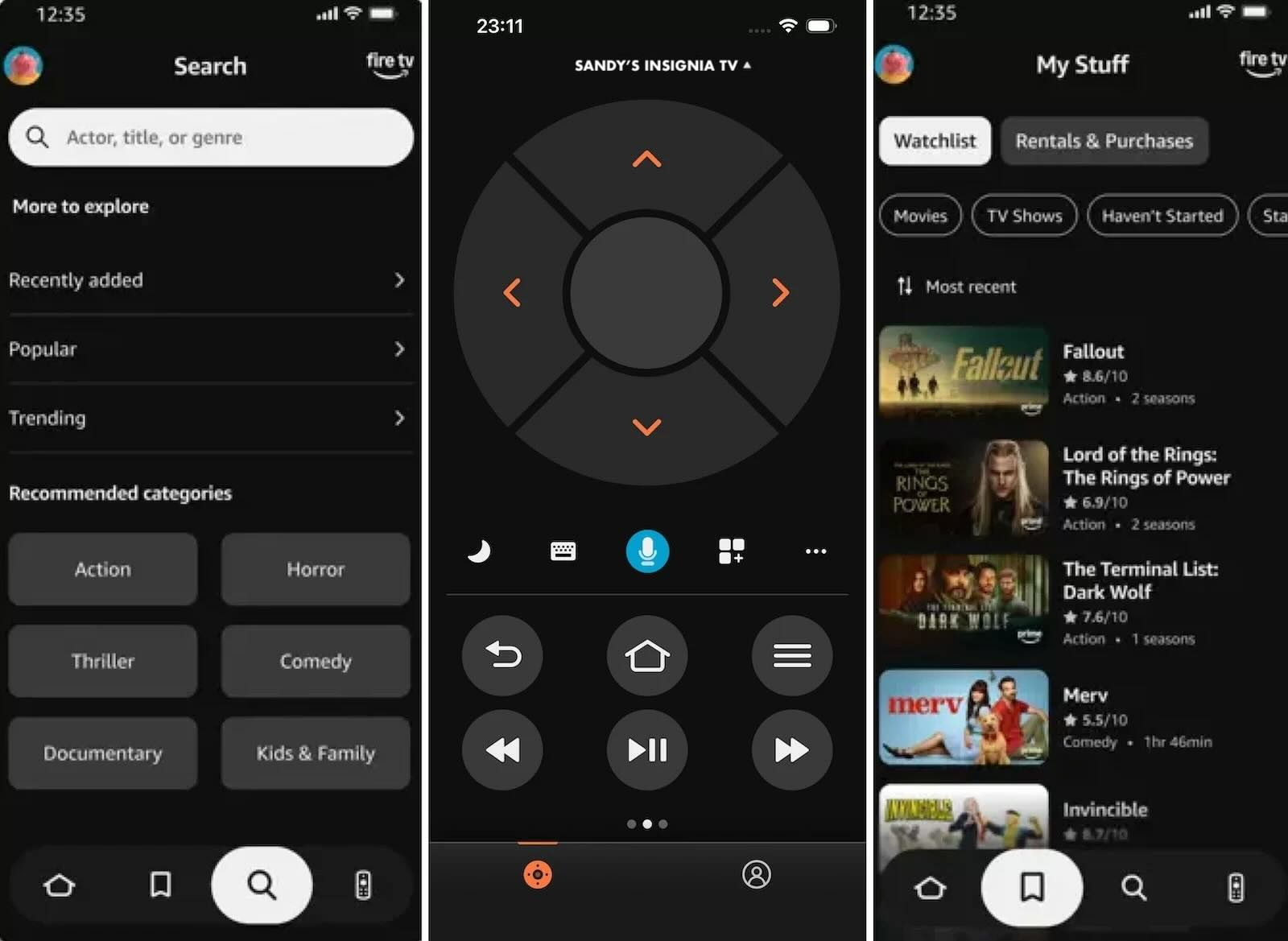
If your Insignia Smart TV is an Insignia Fire TV Edition, the official Amazon Fire TV App is the primary first-party control option. Available for both iOS and Android, it replicates the physical Fire TV Voice Remote, giving you smooth navigation, voice control via Alexa, and an on-screen keyboard for effortless text entry.
✔️ Key features:
- Voice search using the built-in microphone button
- Dedicated playback and navigation controls
- Smart keyboard for typing credentials and search queries
- Quick access grid for installed apps and channels
2. Official Roku Remote App
For Insignia Smart TVs powered by Roku OS, the official Roku app transforms your mobile device into a feature-packed control center. Beyond standard navigation and volume control, it includes unique features like Private Listening, which routes the TV audio directly to your phone’s headphones.
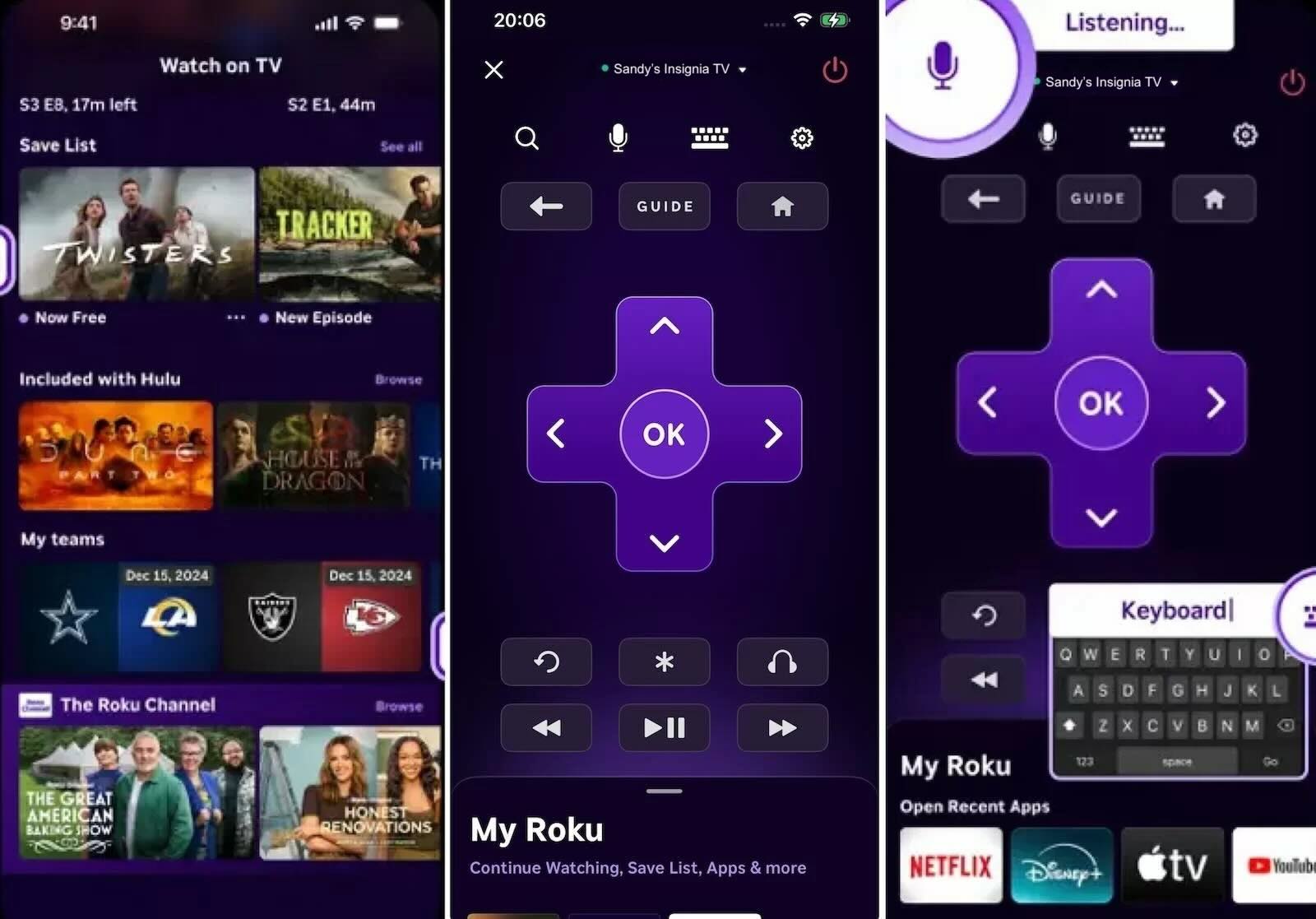
✔️ Key features:
- Private Listening mode for silent audio streaming via headphones
- Voice and keyboard search for fast content discovery
- One-tap access to your favorite Roku channels
- Media casting (photos and videos) from your phone directly to the TV
1. Insignia Fire TV Remote
For convenient control on Android, consider the Insignia Fire TV Remote app. This tool gives you just what you need to navigate channels, control media, and turn your TV on and off. You’ll also find extras like an Info option, Guide, and Tools menu.
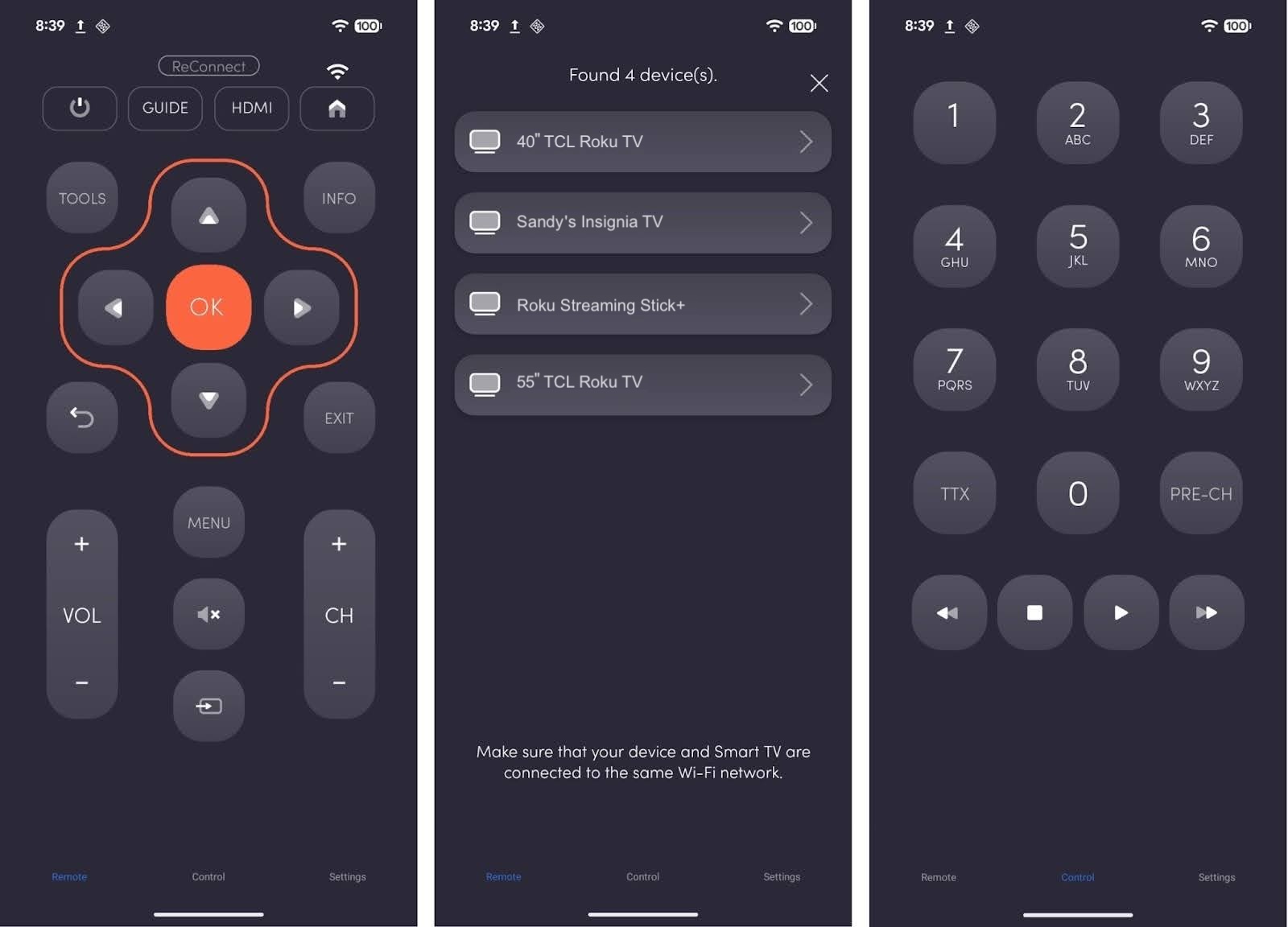
✔️ Key features:
- Choose from remote control, number pad, and voice control options
- Easily access profiles, apps, mirroring, sleep, and settings
- Adjust the volume, change channels, and control playback
2. Universal TV Remote for All TV
If you want to control other devices in your home along with the Insignia TV, check out the Universal TV Remote for All TV option for Android. With this app, you can search for channels and shows, return to the previous channel, and control your TV with ease.
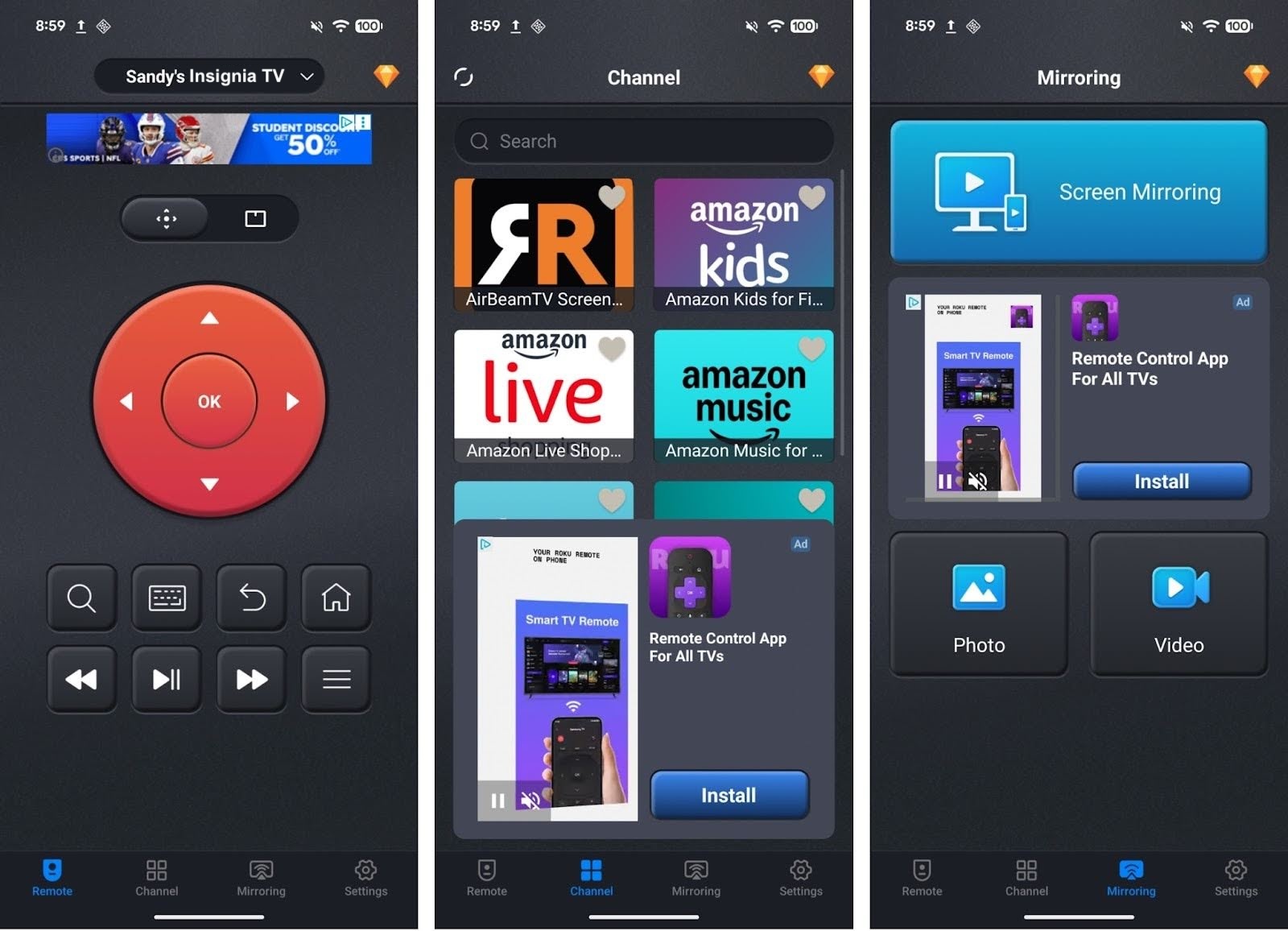
✔️ Key features:
- Choose from button, touchpad, and keyboard controls
- Use screen mirroring and cast photos and videos
- Control the volume, switch channels, and manage playback