Sony TV Remote Apps: The Best Solutions to Control Your TV in 2026

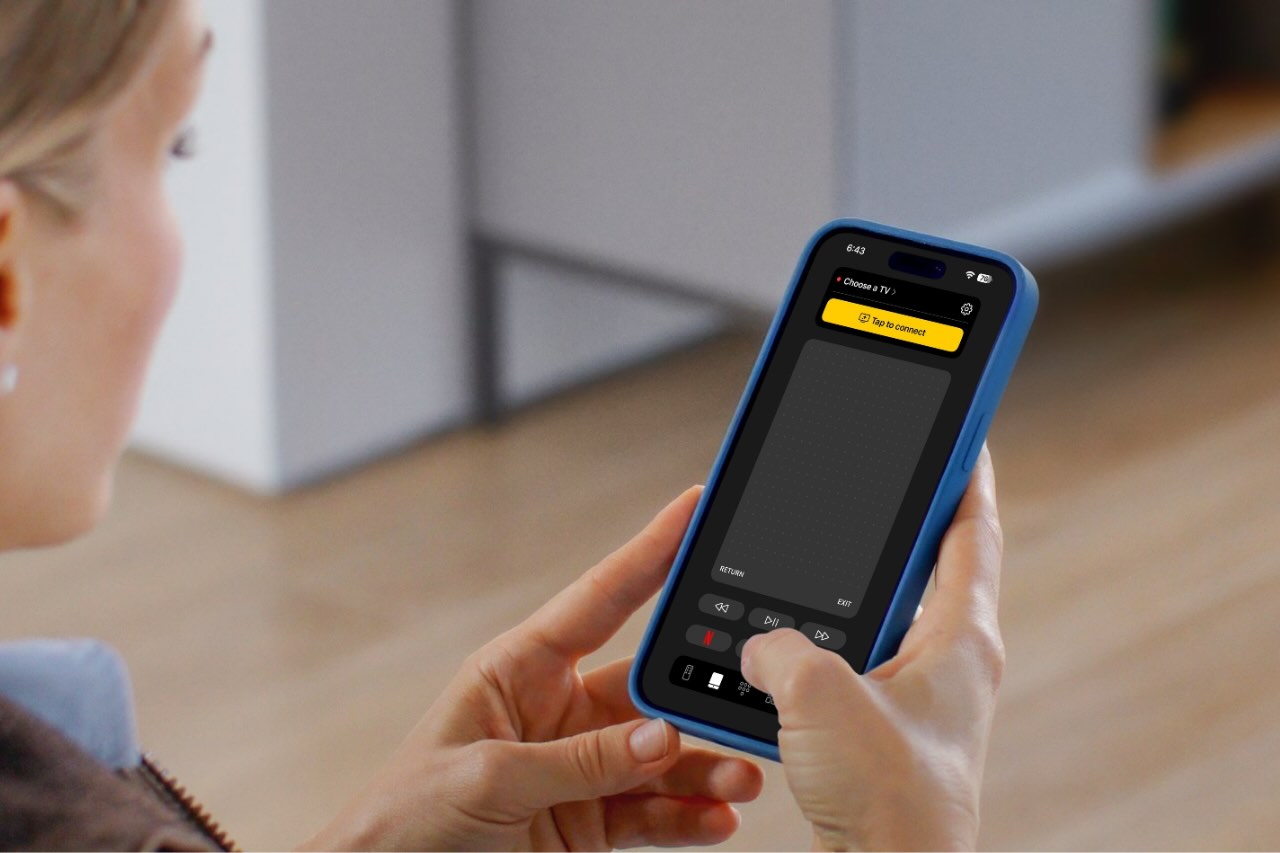
As TVs become smarter, controlling them should feel just as intuitive. Many Sony TV owners now prefer using a remote app on their iPhones because it’s so much more convenient than handling a physical remote.
In this guide, we look at some of the best apps you can use to control Sony TV with iPhone and explain what each offers.
Why More People Are Using Remote Control Apps for Sony TV
Losing a TV remote or dealing with unresponsive buttons is frustrating. Realizing the remote is out of reach once you’ve settled comfortably on the couch is another annoyance altogether.
More and more people are now using remote control apps because they always have their phones in hand, and it’s just convenient. These apps connect over Wi-Fi, so there’s no need to point your phone at the TV or worry about replacing batteries.
Remote control apps also often offer advanced features that physical remotes can’t match, like customizable layouts, voice commands, and quick access to streaming services. They can also control multiple devices from a single interface, which can help reduce clutter and simplify your entertainment setup.
Best Sony TV Remote App for iPhone - Top 3 Options
Below are three iPhone apps that work well with Sony televisions. Each one offers a slightly different experience, depending on what you value most: simplicity, advanced features, or broad compatibility.
1. TVRem (Universal TV Remote App)
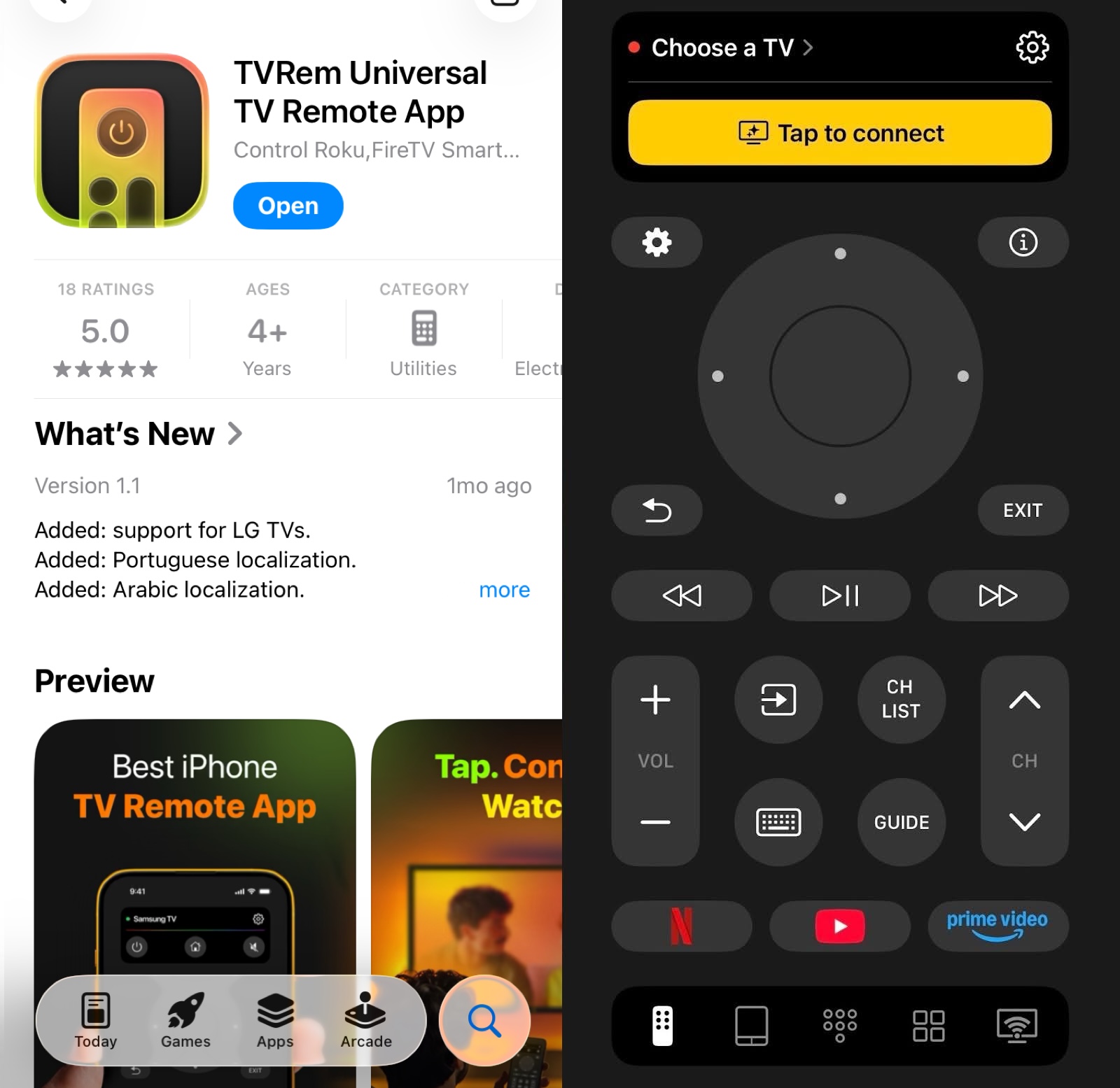
TVRem is a highly rated Sony TV remote app free option for iOS users that works especially well with Sony TVs running Android TV or Google TV. This includes popular Sony BRAVIA models like the X80, X90, A80, and A95 series.
This Sony universal remote app provides a seamless, intuitive interface designed to give you complete command over your home entertainment. Whether you are looking for a reliable Sony universal remote app or a solution for brands like Samsung, Roku, and Fire TV, TVRem has you covered. It offers extensive compatibility across Android TV, Google TV Streamers, and Amazon Smart TVs.
📌 Key features:
- Automatic TV detection on the same Wi-Fi network.
- Multiple control options, including on-screen buttons, a touchpad, number keys, and keyboard input.
- Voice command functionality through Google Assistant and Alexa on supported TV models.
- One-tap access to popular streaming apps like Netflix, YouTube, Prime Video, Spotify, Hulu, and others.
- Tactile and audio feedback settings for button presses and interactions.
- Works with multiple TV brands, such as Sony, LG, Samsung, and others.
Pros
- Very easy to set up
- Clean interface with no clutter
- Smart keyboard and voice input
- Touchpad navigation for easy swiping and tapping
- Quick app launch
- Channel search option
Cons
- Present channel buttons can’t be changed
- No infrared support for older, non-smart TVs
💵 Pricing:
- Completely free without ads
2. Remote Control for Sony TVs
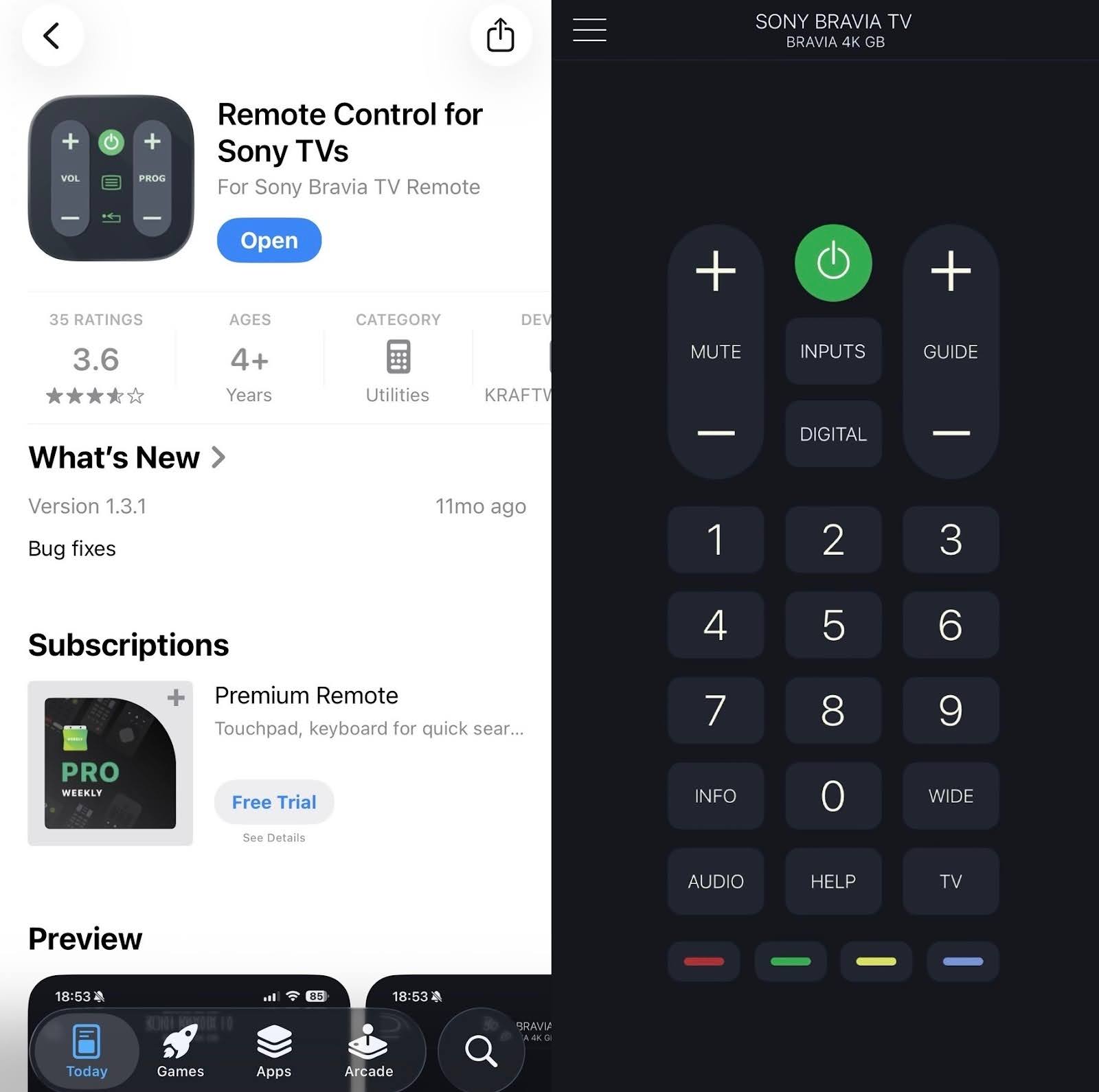
Remote Control for Sony TVs acts as a dedicated Sony remote control app for iOS users. You can use it to control your Sony Smart TV directly from your iPhone or iPad.
It mirrors the layout of a physical Sony remote, so there’s no learning curve for first-time users. It also has a multifunctional touchpad that lets you scroll through menus and other content.
To use this remote app, both your Sony TV and your mobile device need to be connected to the same Wi-Fi network. Once connected, the app gives you full control over your TV.
📌 Key features:
- Traditional remote button layout.
- Large, responsive touchpad for easy content browsing.
- Quick access to volume, channels, and input.
- App-launch feature to open apps installed on your TV or using a web browser.
Pros
- Easy and quick to set up with automatic TV detection
- Familiar design
- Reliable for basic functions
- Easy to launch streaming and built-in apps
Cons
- The interface feels dated
- Limited smart features
- No voice control
- Only works with Sony TVs
💵 Pricing:
- Free to download and use with basic functionality
- An optional premium subscription available for $19.99 per year removes ads and unlocks unlimited access to advanced features
3. Remote Control for Sony
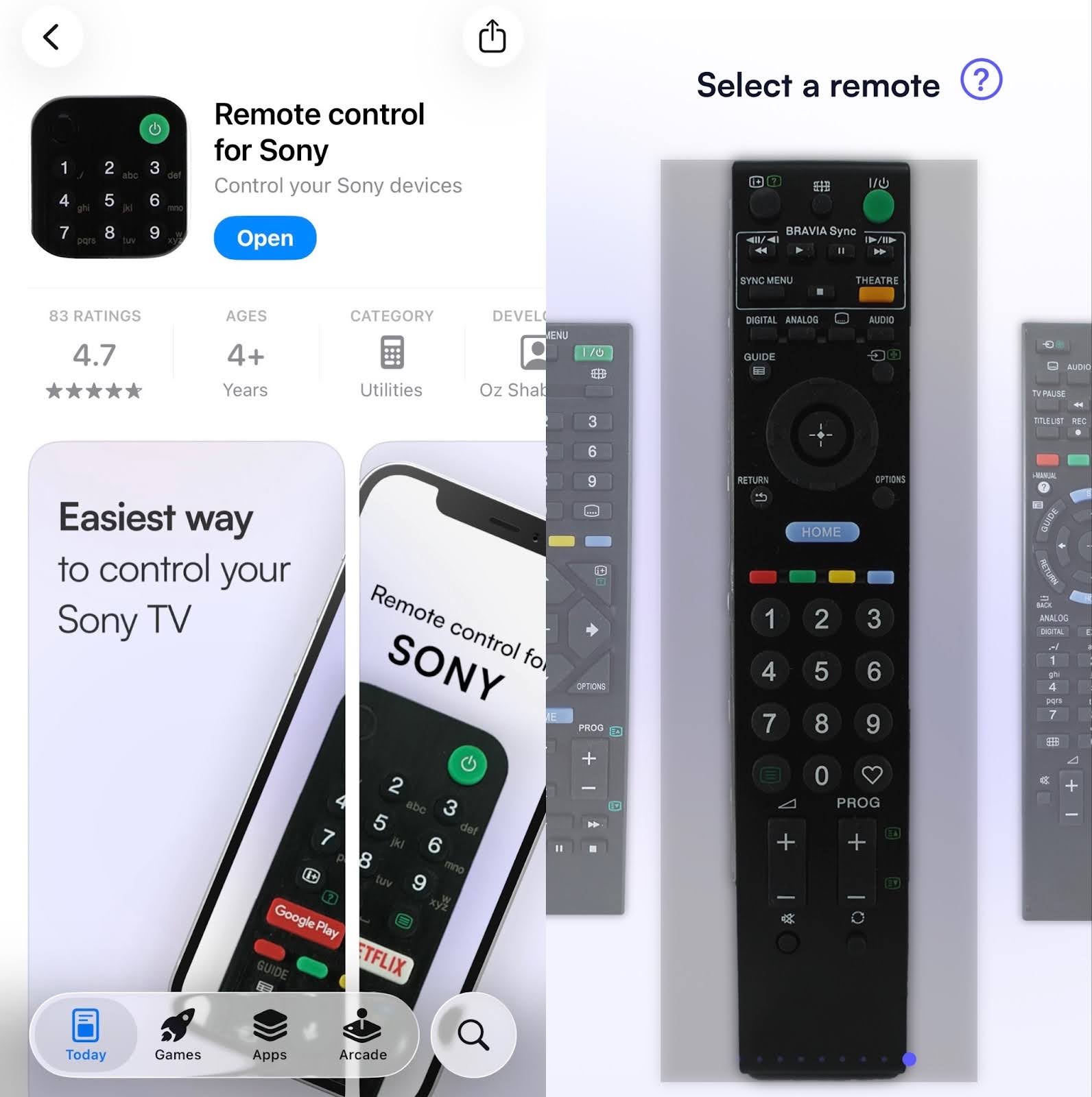
Remote Control for Sony is another universal Sony TV remote app that lets you control your TV from your iPhone with an on-screen remote that looks and works like the one that originally came with your TV.
You can also switch between a smooth touchpad for swiping through menus and a button-based layout with number keys, volume controls, channel selection, and media controls. The layout is simple, so common actions like going home or changing inputs are easy to find.
📌 Key features:
- Multiple Sony remote layouts to choose from.
- Touchpad option for smooth navigation.
- On-screen keyboard for faster typing.
- Has a sleep timer.
- One-tap access to installed TV apps.
Pros
- Easy setup over Wi-Fi
- Modern UI
- Customizable buttons
- Remote settings are saved, allowing you to pick up right where you left off without reconfiguring
Cons
- No long-press option for volume
- No extra features (casting, screen mirroring, etc.)
- Only works with Sony TVs
💵 Pricing:
- The free version comes with ads
- One-time payment of $3.99
Quick Comparison of Sony TV Remote Apps for iPhone
Below is a quick comparison to help you choose the best Sony TV remote app based on your needs:
| Feature | TVRem | Remote Control for Sony TVs | Remote Control for Sony |
| Ease of use | Very easy | Very easy | Moderately easy |
| Voice control | ✅ | ❌ | ✅ |
| Support for other brands | ✅ | ❌ | ❌ |
| Built-in keyboard | ✅ | ❌ | ✅ |
| Price | Completely free, no ads | Free with ads, $19.99/year for premium | Free with ads, $3.99 one-time fee to remove ads |
Conclusion
Remote control apps are no longer just backups for physical remotes. For many Sony TV owners, a universal remote app for Sony TV has become the main way to control everyday viewing.
With touchpad navigation, faster typing, and easy app access, these apps make interacting with your Sony TV feel more intuitive and enjoyable.
All three apps reviewed in this guide connect quickly over Wi-Fi. Choosing the right app for your iPhone ultimately comes down to how much flexibility, simplicity, or extra functionality you prefer.
Frequently Asked Questions
Yes, Sony has an official remote app, but its features are limited compared to third-party apps, and support varies depending on your TV’s operating system and location.
Yes, most Sony BRAVIA TVs running Android TV or Google TV support remote apps over Wi-Fi. By using the TVRem Universal Remote, you can enjoy a seamless connection as long as your iPhone and TV are on the same network. Setup is incredibly straightforward and usually takes only a few minutes to get you up and running.
First, check your Wi-Fi connection and restart both the TV and the app. If the issue persists, force-close the app or reinstall it. For physical remotes, replacing batteries often solves the problem.
Remove the batteries and unplug the TV from power, then wait about 60 seconds. Reconnect the TV, insert fresh batteries, and press the power button on the remote to re-pair it.