- Video Player for Mac
- Best AVI Player for Mac: Top List in 2026
Best AVI Player for Mac: Top List in 2026

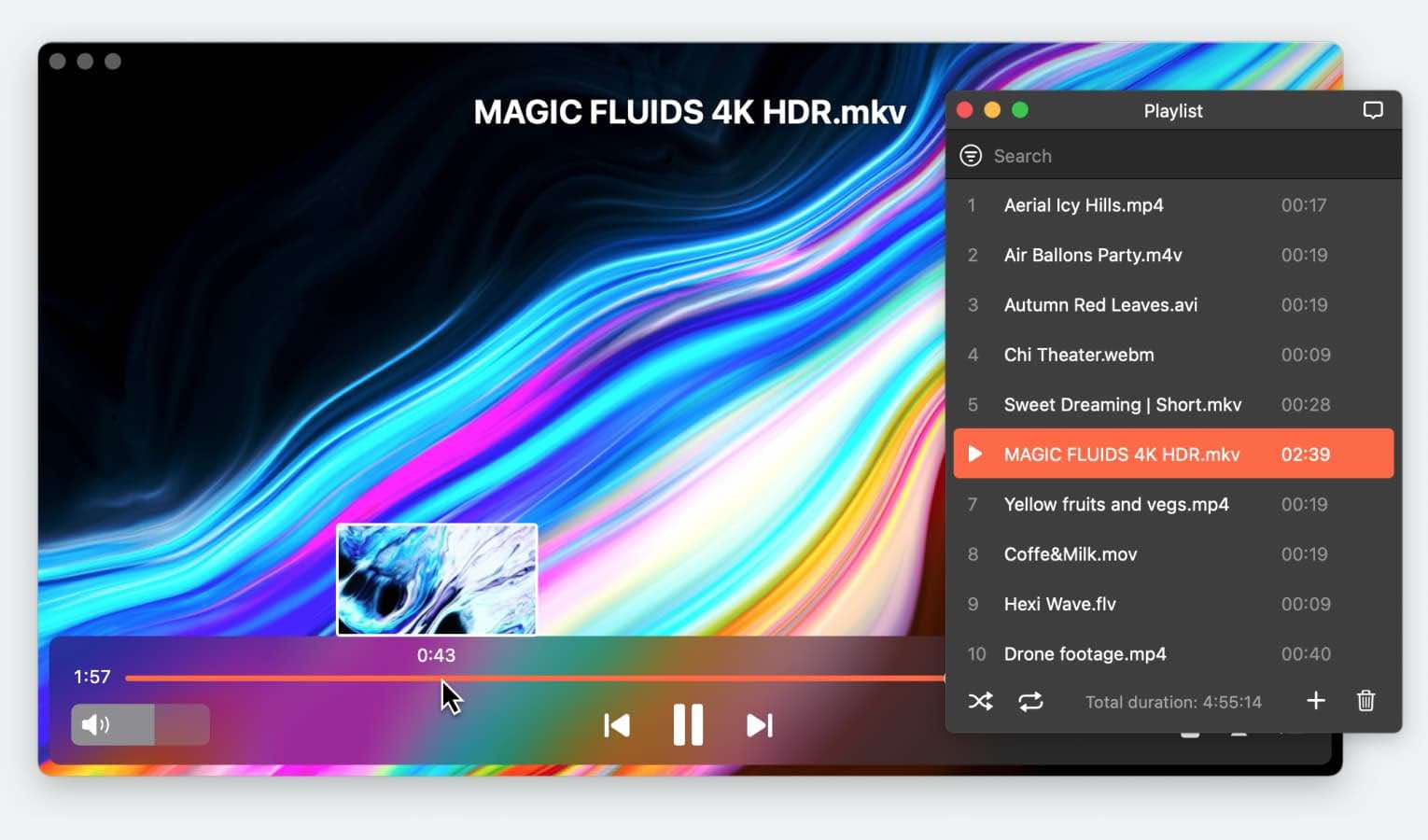
Looking for the best AVI player for Mac? You have come to the right place. In this article, we bring the best players available today. All these solutions will help you play AVI files and ensure stable playback.
AVI is one of the common video formats that can’t be played in QuickTime. A Mac AVI player is required to solve this issue. Many video players provide this functionality, but we’ve found the best ones. If you want an AVI player that’s easy to use and full of handy features, this is the list for you.
User situation:
How do I play an .avi file? Since reimagine my mac and updating, I can no longer play .avi movies— Apple Support Community
Elmedia Player — Best AVI Player for Mac
Elmedia Player is the top choice to play AVI files on Mac for many users. Aside from AVI files, this Mac AVI player also supports a huge number of formats: MKV, WMV, MOV, MP3, FLAC, etc. You don’t need to download additional codes or add-ons. It has a very user-intuitive interface, making it simple to watch AVI files and accessible for anyone – even those with little to no Mac experience.
If you want to get the most out of this video player for Mac, consider the PRO version – a paid upgrade that unlocks features such as streaming via AirPlay2, DLNA and Chromecast, video effects, an audio equalizer, custom color scheme, automatic subtitle search and much more.
User reviews:
This app solved me a lot of problem specially with films multilingual on my Mac. The native Mac app does not do this in the right way. Thanks Elmedia Player PRO.— Alloweb from uptodown.com
Key Features of Elmedia Player:
- Support almost every video and audio format available.
- Simple to use, clean design, and very user-friendly.
- Support for external audio tracks.
Pros:
- Highly personalized for the best viewing experience
- Easy to navigate and use
- Tons of supported video and audio formats
- Wireless sharing to other devices
- Open Online Video option to watch popular sites directly in the player without ads
- Ideal universal media player for playing AVI files
- Playing AVI on Apple TV easily
Cons:
- Only available on Mac, no PC option.
Supported OS: macOS
Price: free (PRO version is available for $19.99)
Alternative AVI Players for Mac
JustPlay
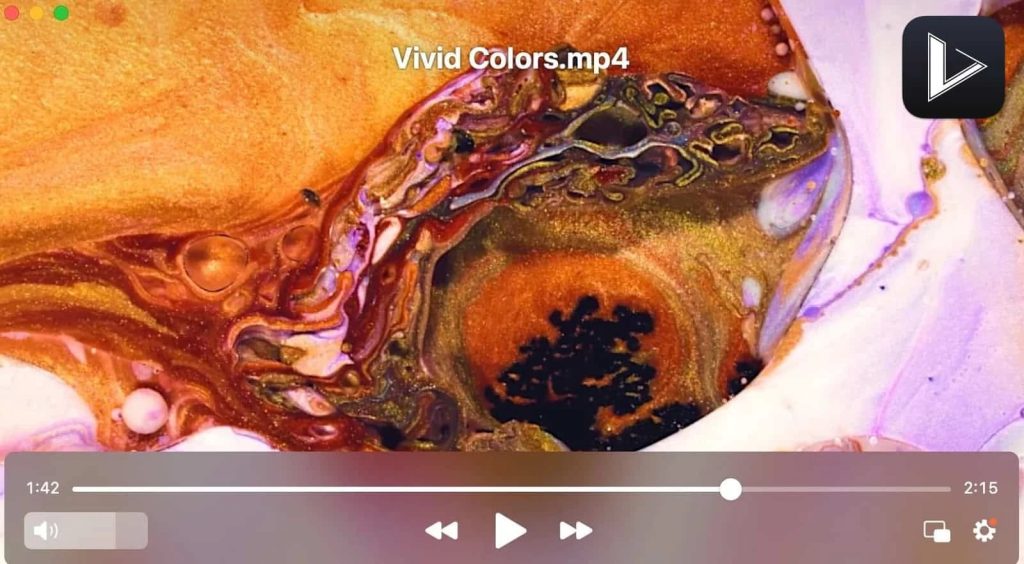
JustPlay is a small app that packs quite a punch when talking about playing video files. It can handle AVI files with ease, offering you the possibility to play Ultra HD resolutions, 8K included. Its interface is smooth and you can easily find your way around the app even if it’s your first time using it.
It comes with a hardware-accelerated decoding function that makes the app capable of playing even the largest .avi files easily, while also giving you full control over audio sync, playback speed, or subtitles.
Of course, the functions list offered by JustPlay can go on. And we need to mention the automatic deinterlacing feature so that you will never have to see the horizontal artifacts that can sometimes be visible on objects that move fast.
User reviews:
I love this application!!! I am currently in my second year of pharmacy school and honestly, since COVID-19 started I have not been able to adapt to this online platform. This application hands down has been helping me caught up with watching my class recording when I fall behind. I use this app for speed purposes. Great buy. Recommend it!!!— JPharmD Student, Mac App Store
Key Features of JustPlay:
- It can handle AVI files smoothly and at top quality.
- Multiple settings for the playback process.
- Resolutions of up to 8K supported.
- Allows you to easily manage volume.
Pros:
- Plays audio and video files without extra plugins or codecs
- The hardware-accelerated decoding for smooth playback
- 8K, 4K, and HD resolutions fully supported.
Cons:
- Doesn’t support download or video editing
- Only available as a paid software.
Supported OS: macOS
Price: $5.99
VLC Media Player
Another perfect answer to all those who wonder how to open AVI on Mac is VLC Media Player. Not only is VLC extremely versatile, and capable of dealing with a long list of formats with ease, but it’s also an all-in-one tool for opening less common formats. Thanks to its V10-bit codec, VLC handles every video you throw at it without needing extra plugins or codecs.
The downside, however, comes from VLC not being capable of playing Blu-ray videos. And if you’re fine with that, there’s something else that might bug you about VLC. The audio can lag a lot sometimes, ruining the entire experience. However, if they could deal with the audio issue, VLC could move up in our rankings.
User reviews:
Although the app has been my go-to for years it still has issues plaguing it from the redesign. Under the network tab when downloading from a media server there are issues regarding the reliability of videos downloading as well as some files become hidden after downloading.— Katanasei, Mac App Store
Key Features of VLC Media Player:
- VLC is a very capable media player for AVI files on Mac.
- Available on other operating systems as well.
- Can handle multiple formats without codecs or plugins.
- Support embedded subtitles.Video streaming to other devices.
Pros:
- Available on macOS, Windows, Android, Linux, and iOS
- Doesn’t require too many system resources
- Free version available
- Hotkey support for fast operation.
Cons:
- Audio can get delayed on certain videos
- Doesn’t deliver graphic media library support
- The UI could receive an update as it looks outdated.
Supported OS: macOS, Windows, Linux, iOS, Android
Price: free
Total Video Player
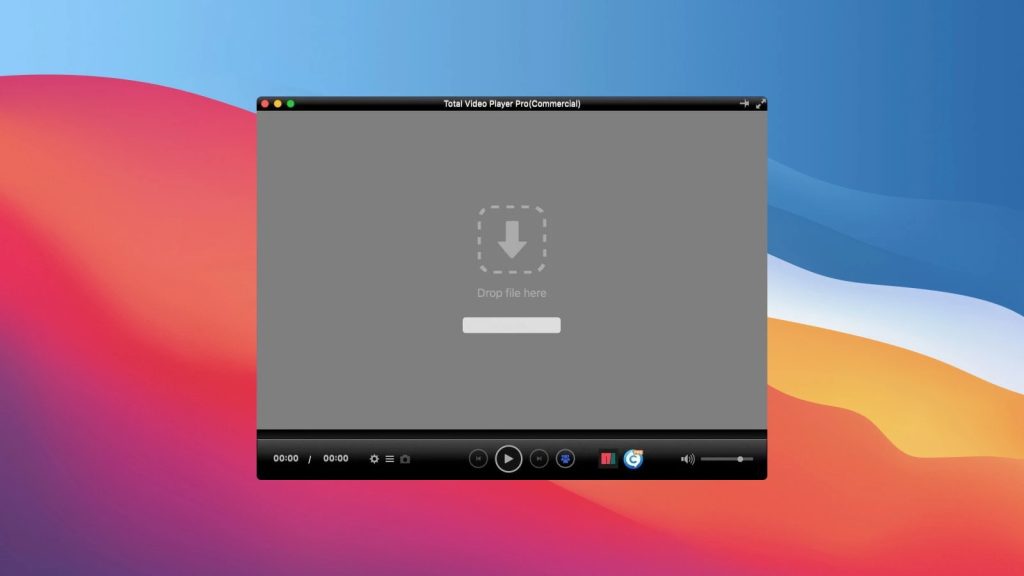
Total Video Player is a macOS media app that provides a lot more format compatibility than QuickTime. In addition to AVI, it also supports WMV and MKV, which are also widespread and can’t be played natively on Mac.
This AVI file player for Mac has a non-savable playlist that can be repeated and shuffled, playback speed, and frame stepping. It also allows you to add audio or subtitle tracks to videos. However, audio and subtitles can’t be synced. Generally, the app is decent, and it’s updated to the latest macOS version, but there are better ones out there for the same cost.
Total Video Player can be found on the App Store and as a standalone download. The pricing system is strange since the App Store version is paid, but some features are locked behind the PRO license.
User reviews:
It has everything one would look for from a smart video player. It plays all the videos that I have in my library across different formats without any glitches. Very happy with my decision.— Jim Cooper, Mac App Store
Key Features of Total Video Player:
- Wide array of supported sub formats, even compared to better players.
- Excellent subtitle controls with customizable outlines and transparency.
- Configurable hotkeys.
Pros:
- Great subtitle support
- Includes all standard playback controls
- No ads.
Cons:
- Unclear pricing - the store-sold version still requires PRO activation, just like the free trial
- Lacks video and audio settings, such as equalizer and color correction
- No option for audio or subtitle delay
- Playlists can’t be saved.
Supported OS: macOS, Windows
Price: free trial, PRO version costs $29.99
Wondershare UniConverter
The UniConverter is an expensive tool with a monthly subscription cost, but the Mac AVI player component can be used for free, as a part of the trial version. It’s a very bare-bones player, lacking even the basics, such as playlist shuffling and repeat. All you can do is adjust the playback speed.
The only advantage to this solution is its quality and frequent updates. If you don’t have any money to spare, and VLC doesn’t work (likely due to a delayed update), then this is one of the few options you have.
User reviews:
It works well to do batch conversions of home videos. I am glad I got it but there are some things that don't work.— Craft seeker, Mac App Store
Key Features of Wondershare UniConverter:
- Literally none.
Pros:
- Free to use
- Always works, quality playback.
Cons:
- Extremely basic
- Only comes as a part of an editing suite.
Supported OS: macOS, Windows
Price: free trial; $19.99/Month, $39.99/quarter, $59.99/year, $79.99/one-time fee
Tipard Video Converter
AVI is an old format, so why not switch to something newer? Using a video converter like Tipard will let you convert your AVI library to formats like MP4, WebM, or MKV. Modern formats will definitely cause fewer problems during playback, even if you have an AVI player for Mac.
Tipard is capable of batch conversions, so you won’t have to process your files one-by-one – just import all of them and click “Convert”. Make sure to choose the right resolution, or you’ll end up lowering the video quality!
User reviews:
There are many options for output, but the DVD options are limited to *.vob file and there is no option for *.iso or actually burning to a DVD.— BauerTG, Mac App Store
Key Features of Tipard Video Converter:
- Batch conversion.
- Built-in preview player.
Pros:
- A permanent solution to AVI incompatibility
- Allows you to keep using QuickTime
- Keeps the subtitles.
Cons:
- Conversion takes longer than just playing
- May fail or reduce quality in some cases.
Supported OS: macOS, Windows
Price: free, PRO version is available for $20
5KPlayer
Another suggestion for an app that will enable you to open AVI on Mac without a problem comes from 5KPlayer. Just like the other software we presented so far, 5KPlayer can handle many video formats without needing any codecs or plugins.
The list supports – but is not limited to AVI, MOP4, MKV, WMV, FLV, MOV, WMA, H.265, or 3GP. So, if you want to watch AVI on your Mac, you can rely on the 5KPlayer to deliver a smooth experience.
Capable of handling high resolutions of 4K or 8K, this player also plays audio files. It offers support for AirPlay and also allows users to download video and audio files from multiple websites. It doesn’t look like this app has any evident glitches or issues, however, it can sometimes take a long time to process a video before playback.
User reviews:
I use 5KPlayer to download YouTube videos and I find it pretty good. The problem with it is that when I wake my PC from sleep mode the keyboard gets frozen out and I have to do a restart. When I start my PC I have to straight away stop the 5KPlayer process in task manager or it happens again. It was happening with the mouse too but I sorted that. I uninstall 5KPlayer and everything goes back to normal. Annoying little bug.— Paul Smith, trustpilot.com
Key Features of 5KPlayer:
- Supports high-quality videos and offers outstanding playback for AVI files.
- Built-in video search so you rapidly find the video you want to play.
- AirPlay support so you can easily stream media to Apple devices.
- Comes with a built-in radio player as well.
- It offers streaming from online video sharing sites directly.
Pros:
- Capable of playing plenty of DVD files
- Delivers 3D functionality
- Ultra HD playback supported
- Fine-tune the audio and video with the multiple settings offered.
Cons:
- Downloading video files is time-consuming
- No subtitle customization available
- Needs plenty of resources, mainly CPU
- The UI can seem complicated to new users.
Supported OS: macOS, Windows
Price: free
Cisdem Video Player
Cisdem is another AVI viewer Mac users can rely on when they look for a remarkable video-watching experience. Compared to VLC, it is a lot easier on the system resources and its user interface is a lot more appealing.
The formats it supports are just as wide as with the other software suggestions we offered in this article, making Cisdem a great solution for those wondering how to view AVI on Mac.
Resolutions can go as high as 5K and even at a high resolution, this player does a great job at synchronizing the audio to video. Since it can also be used to download YouTube videos, it’s an awesome solution to take care of many of your needs.

User reviews:
It is the main video player I've been used now. It is simple to open and manage the media files, supports a various number of video/audio formats, even HD videos. It is much better than the built-in player on Mac. The most important is it's completely free.— Tracidgordon, macupdate.com
Key Features of Cisdem Video Player:
- Capable of dealing with .avi files and other 50 formats as well.
- Can handle 1080p/4K/5K videos without buffering or crashing.
- Automatically loads subtitles.
- 100% free without annoying ads or unwanted software.
- Full control over playback with screenshot availability.
Pros:
- Can handle more than 50 formats
- Subtitles are loaded automatically
- No ads during playback
- No extra plug-ins or codecs needed.
Cons:
- Won’t run efficiently on older laptops, like dual-cores
- Can take some time to load the video before playback.
Supported OS: macOS, Windows
Price: free to try; lifetime licenses: $19.99/1 Mac, $27.99/2 Macs, $49.99/5 Macs
Free AVI Player for Mac
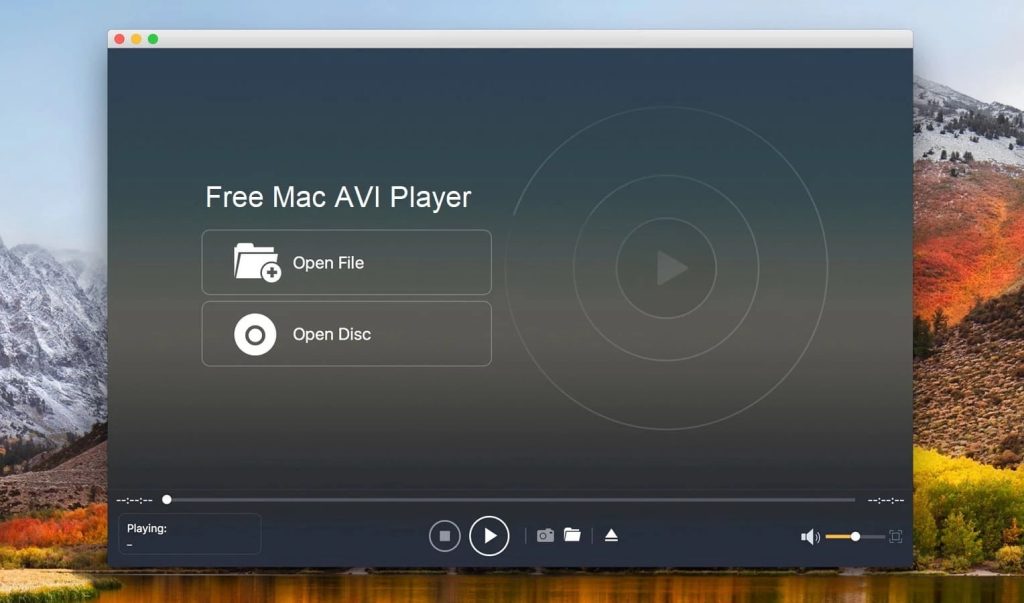
Free AVI Player for Mac is another popular alternative to play AVI files on Mac. It shares many similar features to Elmedia Player like the ability to play HD quality videos, support for a long list of file formats, and high-quality audio output.
You also get to run Blu-ray and DVD files with ease and the ability to customize your viewing settings like screen size, subtitle options, brightness, hue control, and the ability to adjust audio tracks and effects.
Also, with additional helpful benefits like screenshot capture, optimized lossless audio experience, and support in multiple languages, this software is definitely worth a peek for any video consumer.
User reviews:
Actually, I mainly play MOV and MP4 movies with this free AVI player for Mac. Surely, for some videos that can't be played by QuickTime Player, I also rely on it. Now this free AVI player has already become my default player.— David, aiseesoft.com
Key Features of Free AVI Player for Mac:
- Wide range of supported video formats.
- Lossless and immersive audio playback at high-quality resolution.
- 4K and 8K HD video support.
- Blu-ray playback.
Pros:
- Reliable HD video and audio playback
- Simple interface and usability
- Lossless audio playback
- Customizable settings for a personalized viewing experience.
Cons:
- Free version is very limited; requires paid version to unlock the key features.
Supported OS: macOS, Windows
Price: free, PRO version is available for $62.45
IINA Player
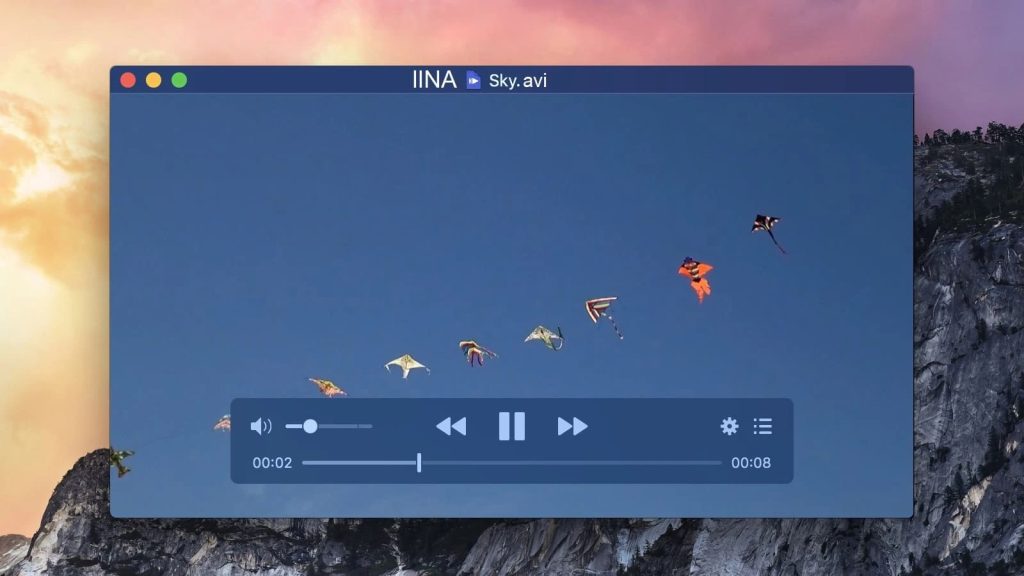
Our next AVI player for Mac is IINA Player. It’s an open-source app intended to look like a modern macOS app and it succeeds. The interface gives a very Apple-like feel and includes a fancy Dark Mode. IINA also provides full integration with Force Touch, Touch Bar, and Picture-in-Picture.
The app plays a variety of file formats, loading them quickly and efficiently. If you’re watching a movie that needs subtitles, IINA Player will suggest suitable local files it finds. You can even look for subtitles online or customize color and font. And if your subtitles or audio lag behind, you can easily adjust the timing.
These perks, plus IINA’s audio equalizer and picture adjustments, makes it a great choice.
User reviews:
Just recently, I found out about the IINA. When I play videos, it conceals the cursor all the time, which the VLC was unable to do, so this player is a welcome replacement for it, as long as it comes to playing videos. The VLC is still the best player for radio live streams IMHO.— Orsobou4, macupdate.com
Key Features of IINA:
- Great file format support.
- Innovative design in line with the Apple aesthetic.
- Spot-on macOS integration with Touch Bar, trackpad, Magic Mouse.
Pros:
- Supports many video and audio codecs
- When in full screen, you can choose which screens to black out.
Cons:
- The app is enhanced by open-source volunteers, so it may contain typos, etc.
- Very limited info on official website and some available on GitHub.
Supported OS: macOS
Price: free and open-sources
OmniPlayer
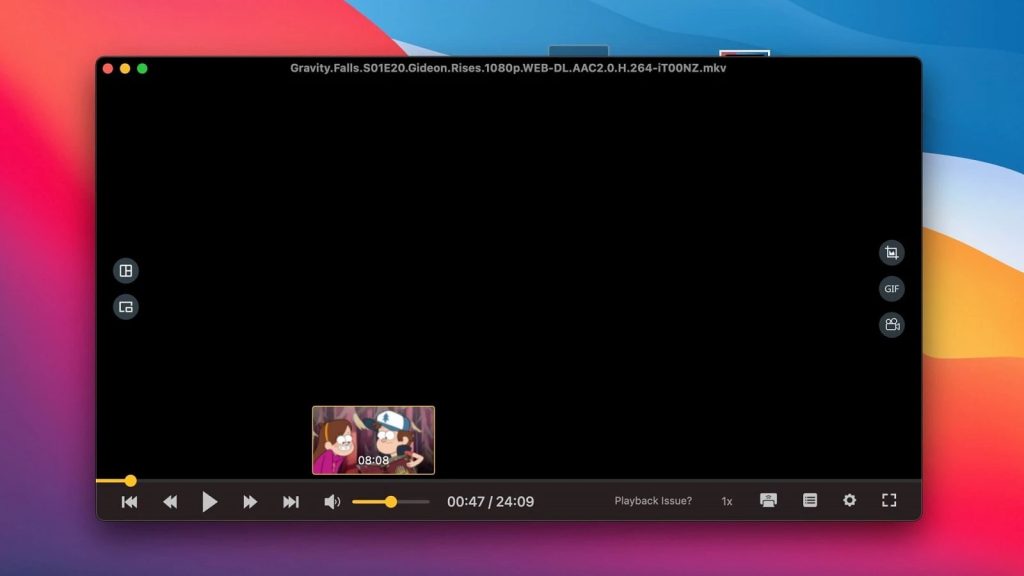
Another good way to play AVI on Mac is by using OmniPlayer. It’s a clean-looking app with numerous video, audio, and subtitle settings available.
For example, you can adjust brightness, contrast, and saturation, aspect ratio, as well as things like audio delay. You also have full control over playback where options include setting playback speed and starting video from the previous playback position.
Despite the fact that it’s called OmniPlayer: MKV video player, the app provides support for a great variety of formats, literally tens of different file extensions. It even plays local or remote server files and online videos without the ads.
User reviews:
This is EXACTLY what I have been missing. Thank you so much. I have been trying to find a way to SPEED UP the audio files I have as recordings (of meetings, mostly) saved to my dropbox. My use case is that I record calls, then want to listen to them again from the Zoom .mp4 file that is saved. This marvelous app allows me to do just that!— Nicomeo, Mac App Store
Key Features of OmniPlayer:
- Has a mini-mode and a Picture-in-Picture option.
- Creates GIF images of up to 60 seconds.
- You can adjust the encoding of subtitles in different languages.
Pros:
- Plays video in 4K/1080P/720P HD resolution
- You can make screenshots in different formats
- Plays online YouTube videos without the ads.
Cons:
- Not all functions are available in the free version.
Supported OS: macOS
Price: free, PRO version is available for $8.99
Final Video Player
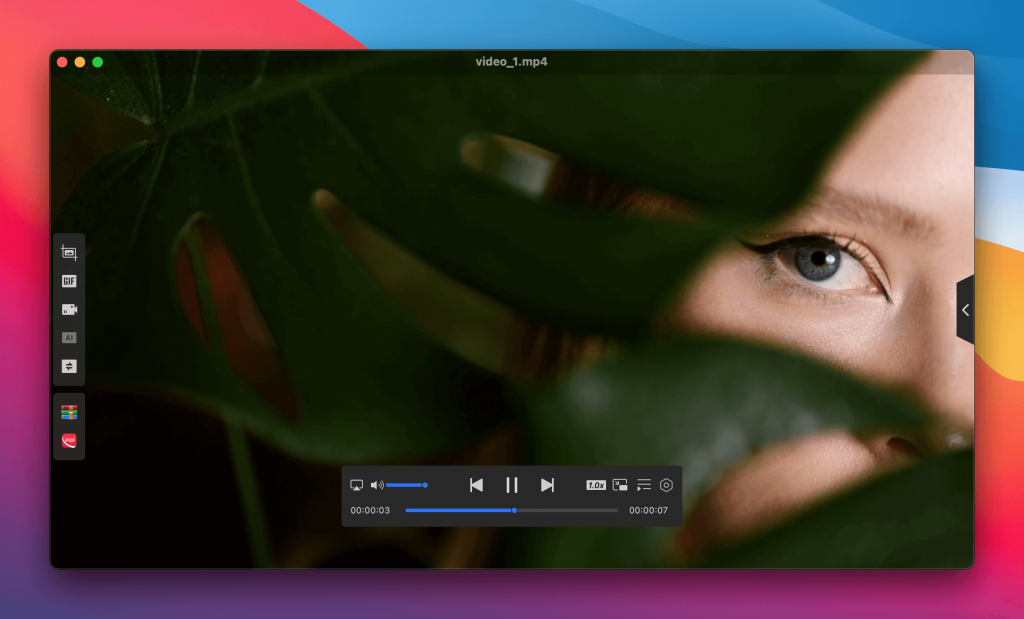
Our next AVI movie player for Mac is Final Video Player. It supports a wide range of file formats and plays videos smoothly, with good HD quality. It’s designed to be small, light, and less CPU-intensive. It has all necessary basic features.
However, the app lacks some advanced capabilities and precise controls, such as skipping forward or backward, adjusting playback speed, etc. Also, users may encounter issues such as their video stopping when the window is resized.
Therefore, while it does handle videos well, it probably wouldn’t qualify as the best player for AVI files among its competitors.
User reviews:
I had been very disappointed with the Quicktime Player. When I jumped forward during movies, especially concerts, to get to songs I liked best, the vocals would be seconds behind the video. I tried everything I could think of and finally, I got Final Video Player and it was my final video player as I never had this syncing problem again. I highly recommend it, especially if the video and audio are not in sync.— Old Clyde, Mac App Store
Key Features of Final Video Player:
- Small and fast app which works quickly and smoothly.
- Simple interface with no learning curve.
Pros:
- It’s a free video player, but is free of ads
- The app is lightweight.
Cons:
- Lacks any advanced features
- Official info about the app is very scarce.
Supported OS: macOS
Price: free
MKPlayer
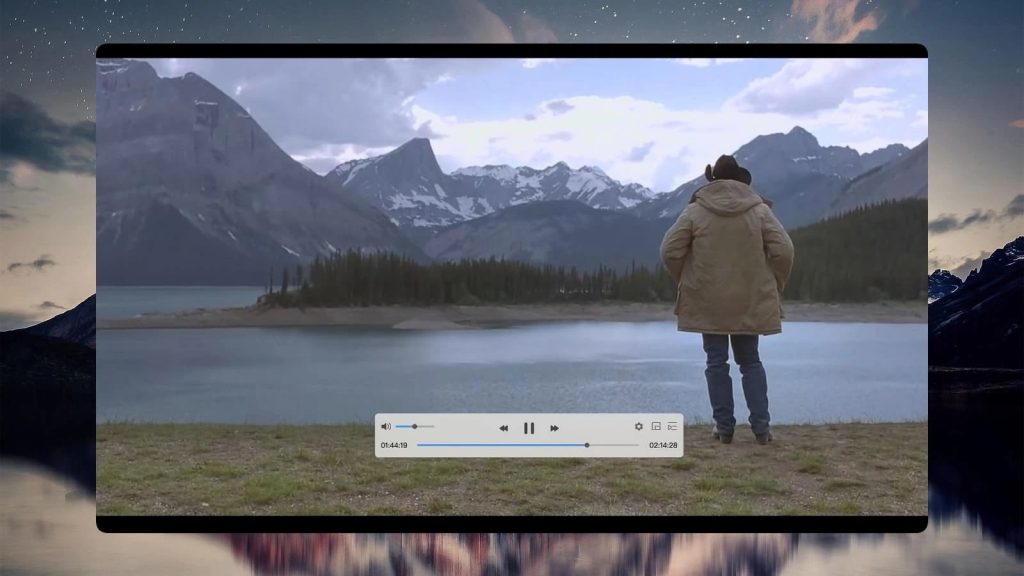
When looking for an AVI movie player, Mac users can also consider MKPlayer. It’s an app that’s not overly complex but serves its primary purpose very well.
In addition to AVI, it supports various video and audio formats. The control panel is responsive and the app can be resized as a mini-player. There is also a convenient “Stay on Top” option to keep the app above all other windows.
MKPlayer is quite straightforward to operate – you just need to drag and drop your AVI files onto the player’s Dock icon, and the same goes for website URLs.
User reviews:
I was trying to play some MP4 format tutorial videos that I had downloaded from the web, but the video was not smooth (kind of jittered) and the audio would fade out every few seconds with I having to pause and then play. I was ok with the video but needed the audio to work fine.— Vishall Shah, Mac App Store
Key Features of MKPlayer:
- The app can play almost any type of format, including AVI, MKV, etc.
- Resizable control panel layout.
- Minimalist and clean interface.
Pros:
- The UI is user-friendly
- Allows you to choose from multiple audio tracks or subtitles when available.
Cons:
- Features such as video adjustment are only available in PRO.
Supported OS: macOS
Price: free/offers in-app purchases
Movist
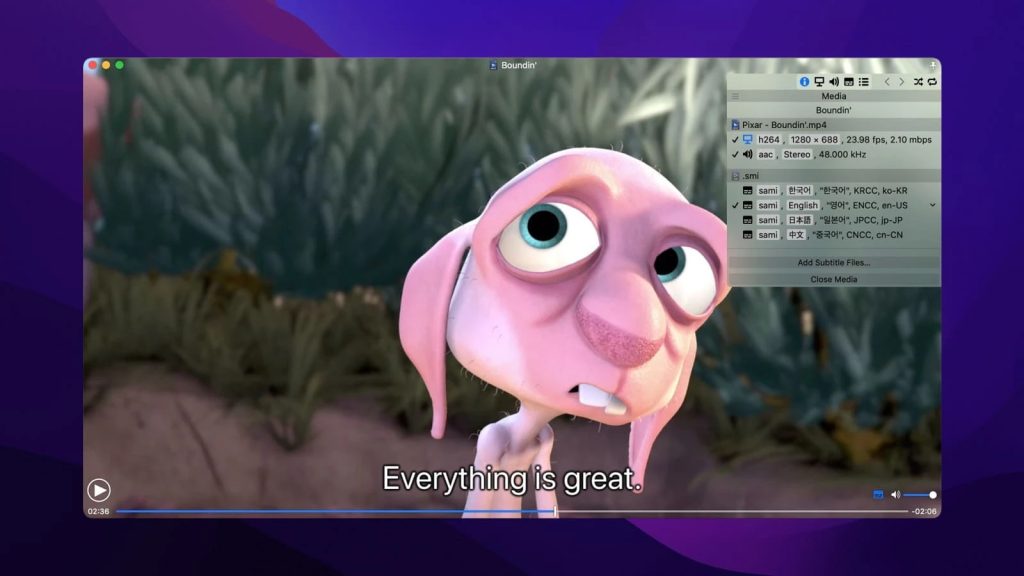
Movist is a media player that supports many useful features to ensure stable playback. The app handles almost all common video formats, including MOV, AVI, MP4, M4V, MKV, etc. Movist also includes subtitle customization, an audio equalizer, and a built-in screenshot feature that allows saving images of the video frame.
The interface is simple and beautiful. Controllers are convenient and only appear on hover. The control panel provides quick access to all necessary functions. It’s also worth noting that Movist creates playlists, attempting to find and fill all episodes of TV series into one folder.
User reviews:
Great app, best video player on a Mac. However, I wish there were a couple of settings included. I wish there was a setting to increase the size of thumbnails you can see on the time bar when you hover with the cursor. Also, being able to use the QuickTime player by default would also be handy instead of FFmpeg. Idk if it's just placebo, but I think that gives better battery life.— Åayam, Mac App Store
Key Features of Movist:
- Flexible subtitle configuration.
- Provides auto-filling of playlists.
- Clean and robust interface.
Pros:
- Excellent playback quality
- The ability to play videos as a desktop background
- Convenient playback features.
Cons:
- There is no free version
- May not play some formats.
Supported OS: macOS
Price: $4.99, PRO version is available for $7.99
Plex
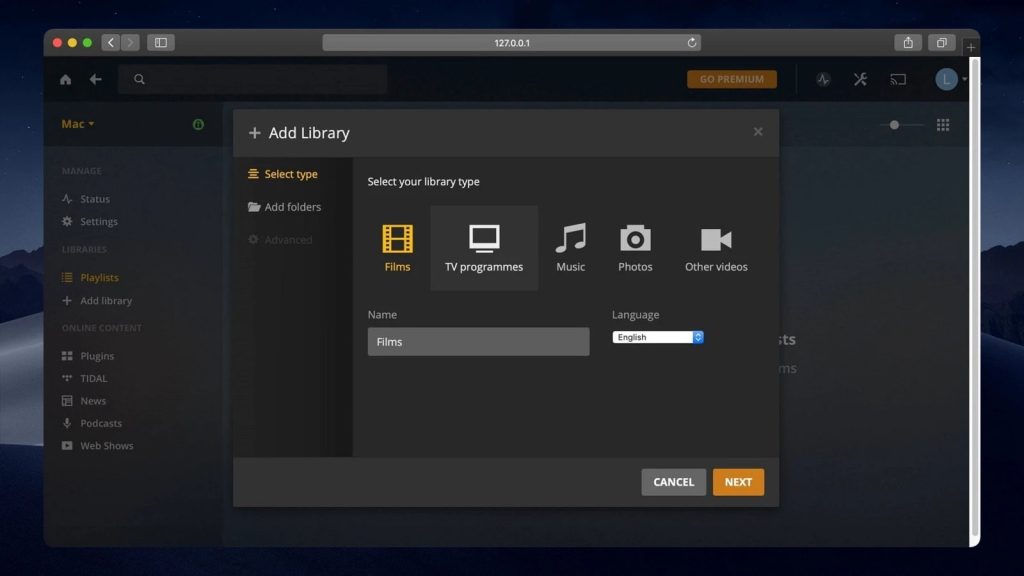
Plex is a streaming platform, but it can also be used to view the media content stored in your Plex Media server. The app supports AVI, MOV, MP4 and other popular video and audio formats and gives you full control over your media files.
To get started, you need to create and set up an account. Once you sign in, Plex Media Player will find your server and connect so that you’ll get access to any of your saved media. You can organize your media library the way you like. The interface is easy to understand.
User reviews:
I came on here to review Plex based on the number of adverts endured during the films. Every 10 mins or so, 5 ads, and three of them are the same connect 1. But after reading some other reviews, I see data breach/fraud has been an issue for some. I recently had money taken from my bank account & credit card, could not figure out how it happened, but now I think I know, I don’t recommend Plex at all, not worth it.— Libby Thomson, trustpilot.com
Key Features of Plex:
- Expanded library with scanning and sorting options.
- Network syncing.
- Compatible with Windows, Android, and other operating systems.
Pros:
- The ability to watch movies and series remotely on any device with the Plex app
- Easy setup
- Large library of on-demand video streaming and pre-programmed content.
Cons:
- If you want more features, you'll need to subscribe to a Plex Pass.
Supported OS: macOS, Windows, Linux, iOS, Android
Price: free, Plex Pass is available for $4.99/month
QuickTime
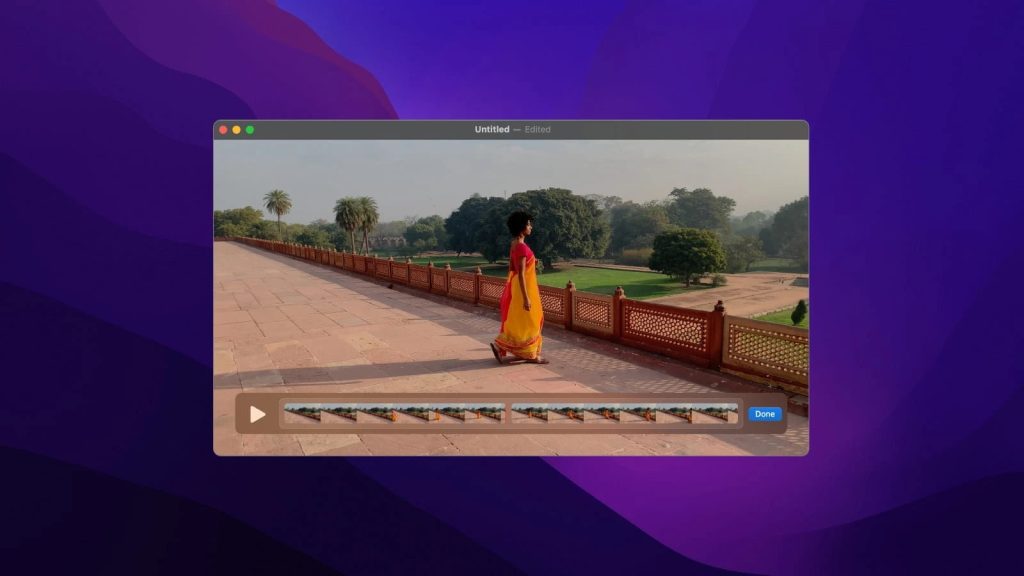
QuickTime Player is Apple’s default player and is already pre-installed on Mac computers. The app plays both files of proprietary formats (QT, MOV) and the most common media formats, including MP3, MP4, M4V, MPG. However, certain video/audio playback may require additional codecs to be installed.
With QuickTime Player, you can capture the screen, split and trim clips and export videos to mobile formats. But despite these features, QuickTime’s limited format support makes many users look for an alternative.
User reviews:
I have to say that having used QuickTime for some years I must report that in my opinion, this is the most useless piece of video-playing software ever to encounter the computer world! To make matters worse, and if you like to add insult to injury QuickTime is quick to point out that if videos do not play it is because of missing codecs, but of course, they do not tell you what these codecs are.— Omega R, sitejabber.com
Key Features of QuickTime:
- Allows editing videos.
- QuickTime makes it easy to share your own videos.
- Comes with screen recording feature.
Pros
- Already included in macOS
- Easy to use
- Works great with HD video.
Cons
- You have to install additional codecs to
- Does not support playback of many common file formats such as AVI.
Supported OS: macOS, Windows
Price: free
Macgo Free AVI Video Player for Mac
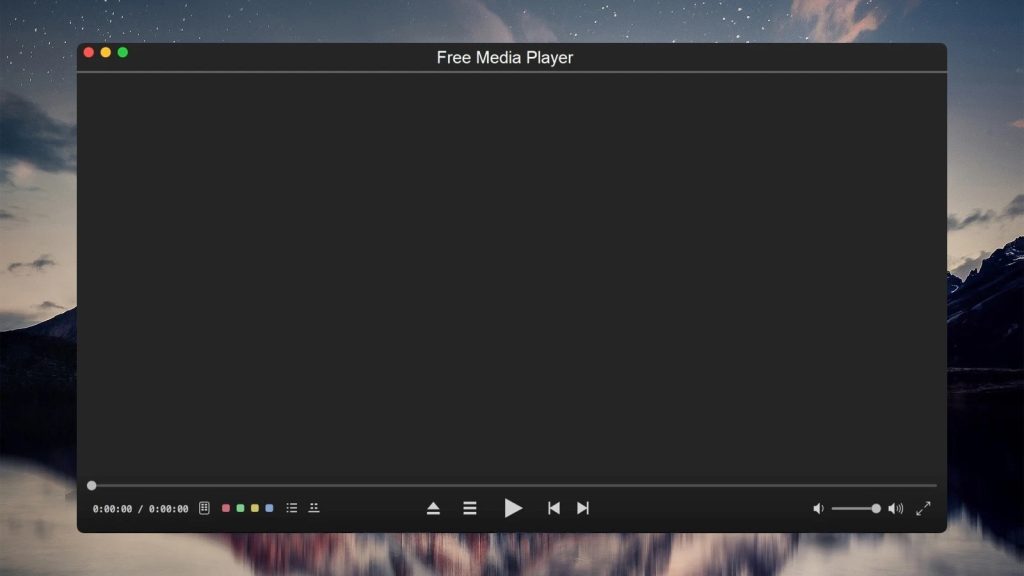
Macgo Free Mac Media Player is a versatile player that works well with Mac and Windows operating systems and opens all kinds of video files. Like other players, Macgo AVI video player for Mac can open and sync subtitles and audio. Furthermore, it supports AirPlay so that you can easily stream videos to your iOS devices.
With Macgo Media Player you get complete control over audio and video settings, as well as a customizable interface. It is also easy to play Blu-ray discs on Mac computers using this player.
User reviews:
This is a great player for Mac users, with full compatibility and a wide variety of features and control options.— J.D. Chadwick, toptenreviews.com
Key Features of Macgo Free AVI Video Player:
- Plays videos without any quality loss.
- Supports DVD menu.
- Allows playing HD videos up to 4K.
Pros:
- Lots of features and controls
- Blu-ray Disc and Blu-ray Menu playback
- Good compatibility.
Cons:
- Playback is slow at times
Supported OS: macOS, Windows
Price: free
Best AVI Player for iOS
KMPlayer
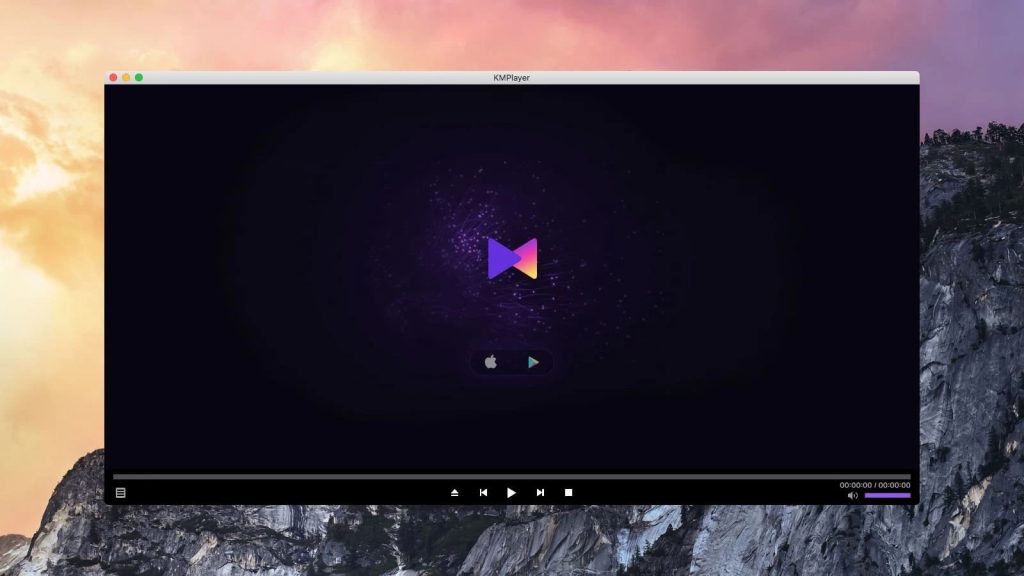
KMPlayer is a cross-platform app with versions for Windows, macOS, Android, and iOS. It’s focused around network playback and downloads, including YouTube URLs and files on FTP servers. There are also some quality-of-life features, such as resizing and moving subtitles, but not as many as in VLC, for example. AVI is supported, along with other standard formats.
User reviews:
By far the best mobile-device media player I’ve used. It’s easy to use and sounds fantastic. The only thing I’d like to see the developers change is that when you import an album of music that’s divided into more than one disc, that division doesn’t carry over into the app.— DerKyle997, Mac App Store
Key Features of KMPlayer:
- Can view and download streaming videos.
- Playlist creation and saving.
- AVI support on iOS.
Pros:
- It’s free
- Can view videos on the network.
Cons:
- No equalizer
- Limited playback controls
- Playlists are saved internally and can’t be exported.
Supported OS: macOS, Windows, iOS, Android
Price: free
The Mac AVI Player Comparison Table
This table will allow you to quickly recall the important features, advantages, and disadvantages of the reviewed players.
| Top features | Elmedia | JustPlay | VLC | 5KPlayer | Cisdem | Free AVI Player | IINA | OmniPlayer | Final Video Player | MKPlayer | Movist | Plex | QuickTime | Macgo Free AVI Video Player for Mac |
| Open AVI on Mac as well as other video formats | (AVI, FLV, SWF, MP4, WMV, MOV, DAT, M4V, MPG, DivX, MKV, etc.) | (MP4, AVI, MOV, SWF, DAT, MKV, etc.) | (MKV, MP4, VOB, WMV, MPG AVI, etc.) | (MKV, M2TS, MP4, AVI, WMV, FLV, etc.) | (MKV, AVI, FLV, AVCHD, WMV, etc.) | (AVI, MP4, MKV, MOV, MP3, AAC) | (AVI, MP4, FLV, SWF, WMV, MKV, M4V, etc.) | (AVI, MP4, FLV, SWF, WMV, MKV, M4V, etc.) | (AVI, MKV, MP4, FLV, WMV, VOB, etc.) | (AVI, MKV, MP4, etc.) | (AVI, MKV, WMV, FLV, etc.) | (AVI, MOV, MP4, MPEG, MKV, WMV, etc.) | (MOV, MP4, M4V, M4A) | (AVI, MOV, FLV, WMA, MPEG, etc.) |
| Allows local AVI streaming to TV | (PRO) | PRO | ||||||||||||
| Includes Video Tuner | (PRO) | |||||||||||||
| Supports video format conversions | PRO | |||||||||||||
| Included Audio Equalizer | ||||||||||||||
| Allows subtitle playback acceleration/deceleration (Subtitle sync) | ||||||||||||||
| Allows searching for subtitles online | add-on | |||||||||||||
| Allows you to record your desktop | ||||||||||||||
| Allows AVI chapter navigation | ||||||||||||||
| No-cost option |
AVI — A Brief Description
AVI is a format designed by Microsoft for lossless compression. Since its introduction in 1992, the format has been widely used for movies and similar media. However, it aged poorly. AVI does not support variable bitrate and embedded subtitles. It’s not supported natively on many systems, requiring an AVI video player for macOS, and not performing well on mobile devices (when compared to MP4).
In addition, AVI metadata is not standardized. All these problems are solved with newer video file types. Hence, it doesn’t make much sense to keep using AVI – it’s a legacy format.
Important Mac AVI Player Features
The presence (or absence) of these features can make or break a macOS media player.
- Format compatibility – the more, the better. Check if your player of choice supports common formats, such as MP4, MKV, AVI, WMV, etc.
- Compatibility with the latest macOS version. Frequent updates are also important, so the app can catch up with macOS releases.
- Acceptable performance. If the hardware is powerful enough, it shouldn’t lag at high bitrates and resolutions, including 4K and 8K.
- Playback control. Playlists with saving, sorting, repeat and shuffle. It should be able to add folders, adjust playback speed, sync subtitles and audio.
- Visual and audio settings. Brightness, contrast, sound equalization, surround sound support.
- A comfortable UI, preferably with customizable hotkeys.
- It should be safe and ad-free.
Advantages of the AVI File Extension
- Compression codecs are vast and are ideal for online video sharing, transferring, and consuming. (i.e. DivX and Xvid)
- Very popular and recognized in the technology world for its incredible high audio fidelity options and versatility to be used across multiple platforms and uses.
- Can create DVDs and store AVI content like audio and video data within it.
- Very accessible and playable.
- Very high-quality option and can be used for movies and editing for the purposes of sharing and consuming.
Disadvantages of AVI Files
- AVI files can come with codecs that require users to have those same codecs downloaded and accessible on their computer. Adding this extra step makes it quite cumbersome and risky.
- AVI files are massive when uncompressed, as opposed to other common file formats.
- Due to the massive amount of codecs, finding the right one can be next to impossible. Or at the very least, incredibly tedious and requires much experimentation and trial and error.
- User intractability is quite limited. For example, no click to pause ability.
- Loss of video and audio quality as AVI file gets compressed. This can result in unsuitable files when it comes to consuming high-quality HD content.
Playing AVI files on a Mac is possible, and is pretty simple. For that purpose, you just need to install a good AVI player and luckily there are plenty of options nowadays. The best media player you can try is Elmedia Player. It offers lots of useful features like wireless streaming, playback options, and subtitle search, and comes with a wide range of formats supported. Using Elmedia Player, you will definitely enjoy stable and high-quality playback.
Frequently Asked Questions
Below we have compiled the most frequently asked questions regarding AVI files playback. Feel free to send us any other questions that you may need answers to by writing in our comments section.
Indeed, a Mac can play AVI files through its native video player – QuickTime. However, you should know that some codecs are not supported by this player. Often QuickTime can’t play AVI on Mac. To avoid getting an AVI video with a codec that is not supported by QuickTime, install Elmedia Player on your Mac. It will play hundreds of formats without needing extra codecs or plugins, delivering you an awesome watching experience.
Without doubt, it’s Elmedia Player. It won’t have any issue with large AVI files thanks to hardware acceleration and caching. Plus, there’s lots you can do to customize audio, video, and subtitles.
To convert an AVI file to QuickTime format, you can use a video converter like or an online tool. Simply open the converter, select your AVI file, and choose QuickTime’s compatible format, such as MP4 or MOV. Then, click “Convert” to change the file into a format that QuickTime can play.
To change your default player on a Mac, follow these steps:
- Right-click on any AVI file.
- Select “Get Info” from the menu and find the “Open with” section.
- Choose your preferred media player (e.g., Elmedia Player) from the dropdown menu.
- Click “Change All” to make this player the default.