


Free Torrent Downloader for Mac – Folx
Folx is a powerful torrent client for Mac with 100% support of the latest macOS version. Its intuitive interface and full set of features like download scheduling and speed control will make your torrent downloading experience exceptional and convenient.
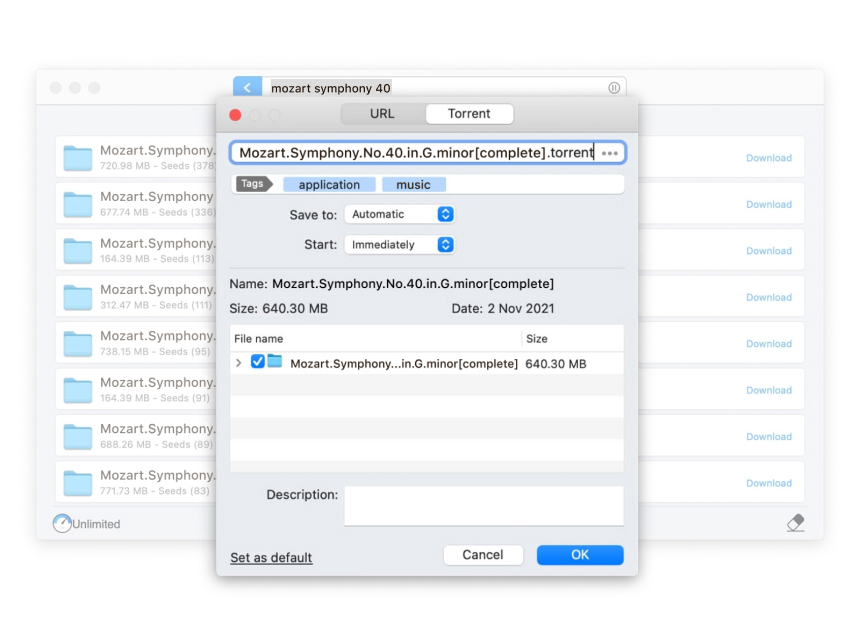
Free torrent downloader
The best Mac torrent client: Essential options
Fully compatible with the latest macOS, Folx is the best torrent client for Mac with tons of features and options.

Support for magnet links
Folx allows downloading torrents via magnet links. Wondering how to use magnet links? Just click on the magnet link and your browser will automatically open the default torrent client and start downloading. It is so simple.

Proxy server downloading
Folx supports downloading through proxy servers, which means you get many benefits such as anonymity and security. You can download content that might not be available via your IP address.

Splitting downloads into two threads
Folx torrent program for Mac can split downloads into 2 threads to boost the download speed.

Smart tagging
The smart tagging feature offered by Folx makes finding your downloads much easier. You can assign a tag or multiple tags to any downloaded file and quickly find what you need.

How to download torrents on Mac using Folx software
When it comes to how to torrent on Mac, Folx is really easy to use. To download your favorite movies, TV shows, music, and more, you just need to follow a few simple steps. Furthermore, PRO version users can search torrent files right from the Folx interface.
1
Find torrent you want to download
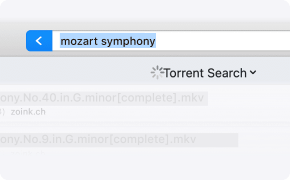
Go to a torrent site and find your torrent file. Alternatively, you can search for torrents directly in the app. Just enter a name in the search bar and Folx will display search results that match your query.
2
Add torrent to Folx
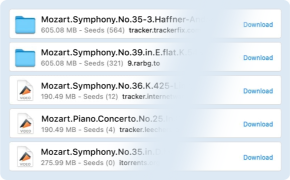
You can add file using one of the following ways: find a torrent file in Folx and then click "Download", click a .torrent file link or magnet link on a web page, or drag and drop a torrent file onto the Folx icon in the Dock.
3
Set download options
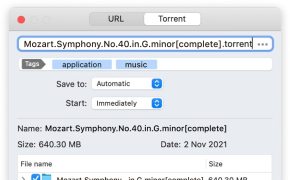
Assign tags for your files, select the download path, and specify when the download should start: automatically, manually, or on a schedule. Press "OK".
Advanced features
Mac torrent client brings more features with Folx PRO
Equipped with a wide range of handy features, Folx PRO helps you download torrent files quickly and easily.

In-built torrent search tool
Thanks to the Mac torrent search function, you don’t have to browse multiple torrent trackers. Instead, you can search for torrents directly from the app.

Multi-threading
This BitTorrent client for Mac supports multi-threading. Each download can be split into multiple threads (up to 20 threads).

Smart speed adjustment
Folx is the best torrent downloader for Mac that gives you complete control over the download and upload speed, allowing you to manually adjust it. For optimal traffic allocation, you can also let Folx manage the bandwidth automatically.

Download scheduling
With this torrent software for Mac, you can easily schedule downloads. Moreover, you can tell Folx what to do after the download is complete: exit, shut down the system, or switch to sleeping mode.

Password saver
You can ask the Folx torrent client Mac to save credentials for websites you use frequently. The next time you visit this website, you won’t need to log in manually. Folx PRO version allows you to store as many passwords as you want.

Apple Music Integration
Folx torrent Mac client can add all your downloaded music & videos directly to Music (formerly iTunes). You no longer need to waste time on managing your media content, as downloads marked with certain tags will automatically display in the Music library.
Compare FREE and PRO versions
| # | Feature | FREE | PRO |
|---|---|---|---|
| 1 | Multi-threading | ||
| 2 | Apple Music integration | ||
| 3 | In-built torrent search | ||
| 4 | Download scheduling | ||
| 5 | Speed control | ||
| 6 | Built-in password saver | ||
| 7 | Fast download speeds | ||
| 8 | Auto-resume download | ||
| 9 | Splitting downloads into two threads | ||
| 10 | Simultaneous downloading of multiple files |
Frequently asked questions concerning torrent clients:
A torrent client is a software that lets you download files by using a peer-to-peer system. With torrent clients, you can search for files, download and manage them. uTorrent is one of the popular torrent clients, however, Mac users with latest version of macOS installed can’t use the desktop version.
So, when it comes to uTorrent alternative Mac users can rely on Folx - the best replacement for uTorrent in macOS. Besides torrent for Mac software, there are torrent clients compatible with Windows and Linux.
So, when it comes to uTorrent alternative Mac users can rely on Folx - the best replacement for uTorrent in macOS. Besides torrent for Mac software, there are torrent clients compatible with Windows and Linux.
We believe that Folx is the best BitTorrent client for Mac. The free version of Folx comes with an array of features such as multi-threading and smart tagging and is also simple to use. Upgrading to the PRO version gives you even more options. For example, you can schedule downloads or search and download torrents directly from Folx.
Using a torrent client is legal as long as you don't use it to download files such as TV shows, movies, music, which are subject to copyright laws.
To open a torrented file, you'll need to install a torrent Mac client on your computer. It may be uTorrent, Transmission, Vuze, or others. We recommend Folx as a reliable and effective torrent downloader and the best Transmission alternative for Mac and Vuze alternative.
With Folx, you can open torrented files in different ways: either search for torrent files right from the app using the in-built search or search for the required files on the Internet. You can drag and drop files from Mac or click on a .torrent file link or magnet link in order to add them for downloading.
With Folx, you can open torrented files in different ways: either search for torrent files right from the app using the in-built search or search for the required files on the Internet. You can drag and drop files from Mac or click on a .torrent file link or magnet link in order to add them for downloading.
What customers say
"I have been looking for a torrent client for Mac for a long time. And finally, found Folx. The download is fast and what I like the most is the in-built search option. It's very convenient and saves a lot of time since I don’t need to browse through torrent sites. So far, the app meets my requirements."
"Folx is definitely the best torrent program for Mac I’ve ever used. I’ve tried many downloaders, but Folx allows downloading everything from movies to audiobooks and it’s super fast and easy."
"Love the possibility of scheduling downloads. Most importantly, if the download fails for any reason, Folx will resume it. A really great alternative to uTorrent if you are looking for a feature-rich and user-friendly torrent client!"
"Folx is probably one of the few Mac torrent clients that is fully compatible with the latest macOS versions. I’ve been using Folx for several years now and it works perfectly on macOS Tahoe."



#1 at Downloaders
Folx
Torrent Client for Mac
4.6 rank
(Learn more)
Get a download link for Desktop
Submit your email address to get link for quick download and get started!
Submit your email address to get link for quick download and get started!
or
Information
Requirements:
Category: Downloaders
Pricing: Starts from $19.95
Languages:
English, 中文, Deutsch, Français, Italiano, 日本の, 한국어, Português, Español, Tiếng Việt